 Design guide
When using Ragic AI features, AI Usage is automatically consumed based on the workload and complexity of each task. This includes Asking Questions, Building the Database, using the @Ragic AI feature, and adding Agents.
AI Usage is calculated in USD and is not converted into credits, so the usage shown is the actual cost. Each database receives a monthly free usage amount based on its plan and number of users, shared by all users. Once it's used up, the Lite Plan and above can purchase extra usage. Unused free usage does not roll over to the next month; purchased AI Usage can be carried over.
AI Usage per task depends on the following factors:
1. Data read: More records, fields, Subtables, notes, or attachments to read means more usage.
2. Number of steps: More steps to query, evaluate, or write data (for example, querying another sheet, updating multiple fields, or posting comments) means more usage.
3. Execution frequency: Each Agent run is counted. Agents triggered on every record update or scheduled frequently will use more over time.
4. AI model: Models are priced differently, and advanced models usually cost more. Asking questions, building the database, and the @Ragic AI feature use system-assigned models that can't be changed. For Agents, you can choose the model, so the same task may use different amounts depending on your choice. See Agent models for details.
The table below shows the estimated cost per run and how many runs $10 covers:
| Task | Example | Cost per Run | Runs per $10 |
|---|---|---|---|
| Asking Ragic AI | Ask Ragic AI "Who is the top sales rep this quarter?" with order, quotation, and customer deal sheets | About $0.0084 | About 1,200 |
| Auto-creating a record from an uploaded file | Upload a business card in the "Contacts" sheet, and Ragic AI creates a record from it | About $0.0043 | About 2,200 |
| Agent: Multilingual product copy | Generate English product copy and translate it into Spanish, French, and German. See this example. | About $0.0051 | About 2,000 |
| Agent: Quotation review | Check quotations for logical errors or unreasonable content, and leave a comment when an issue is found. See this example. | About $0.0025 | About 4,000 |
| Agent: Support ticket triage and reply | Prioritize support tickets, assign them, and suggest replies. See this example. | About $0.0082 | About 1,200 |
Note: Actual usage varies with task complexity, data volume, and the selected model, and may change if model providers adjust their pricing. The Agent examples above use GPT-5.6 Luna.
When setting up an Agent, use these tips to estimate and reduce AI Usage:
1. Start with a test run: Run the Agent on a few real records and check the usage per run in the Agent Usage Report. Multiply it by your expected number of runs (for example, new records per month) to estimate your monthly usage.
2. Avoid unnecessary triggers: If only new records need processing, set the Agent to trigger only when a record is created, not every time it's updated. You can also narrow the trigger conditions with a Shared View, for example, only records where "Status" is "Pending".
3. Limit the data read: Notes, Subtables, and attachments all add to the data read in each run. Let the Agent read only the fields it needs.
In the Ragic AI window, open the menu in the upper left corner and click Settings to view the current AI Usage.
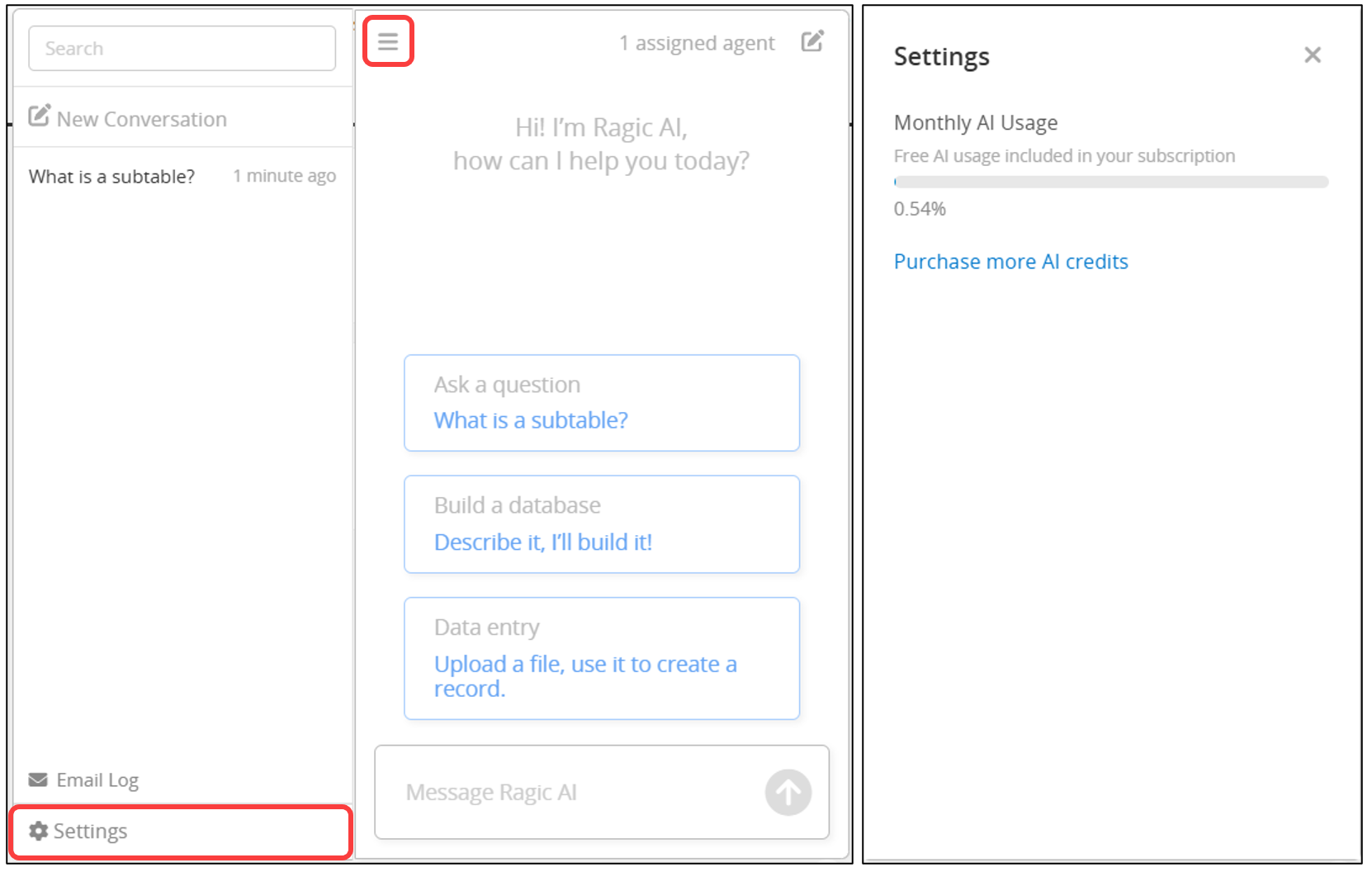
When AI Usage reaches 80% and 100%, the system will automatically send notification emails to SYSAdmins. Once the free usage is used up, the Lite Plan and above can purchase extra usage, or you can wait for the free usage to reset next month.
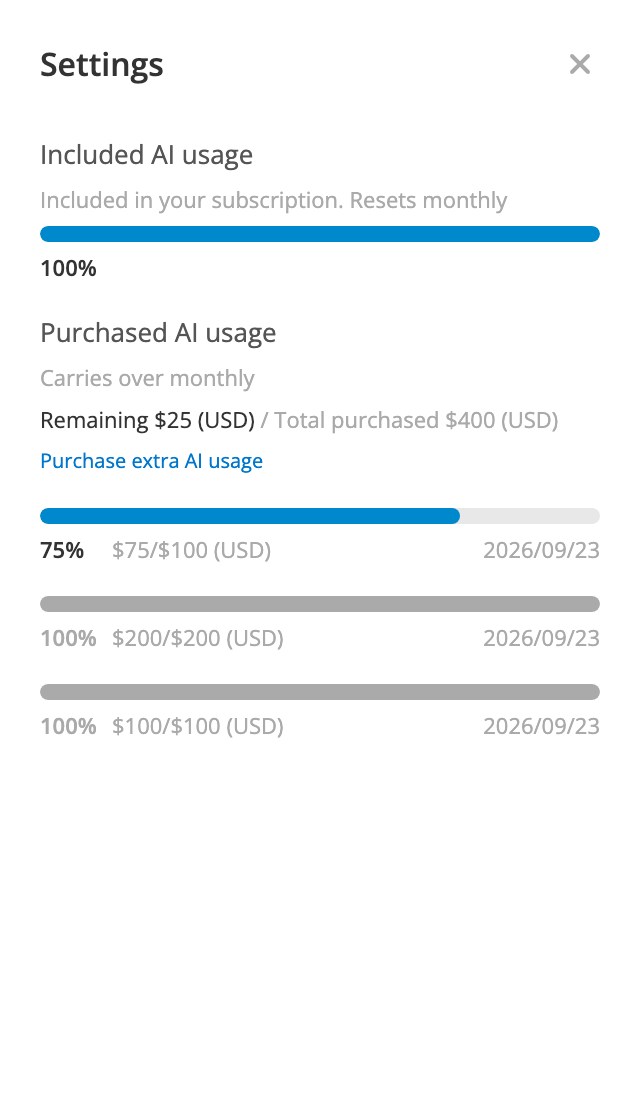
In the Purchased AI usage section, each purchase has its own usage bar, showing its remaining balance, total amount, and purchase date, so you can track the usage progress of each purchase separately.
Agents consume AI Usage only when they run. Agents that are created but not triggered won't incur noticeable usage, though setup may use a small amount. You can check each Agent's usage in the Agent Usage Report.
 Thank you for your valuable feedback!