 User guide
User guide
User guide
To prevent a record from being edited, you can manually lock the record. You can also unlock it at any time.
Note: Locking a Record only prevents manual edits. The record can still be modified through Action Buttons or formula recalculations.
If you don't see this feature on the sheets, this may be related to your Feature Access Settings. Please contact your SYSAdmin to check whether the "Lock Record" permission is enabled.
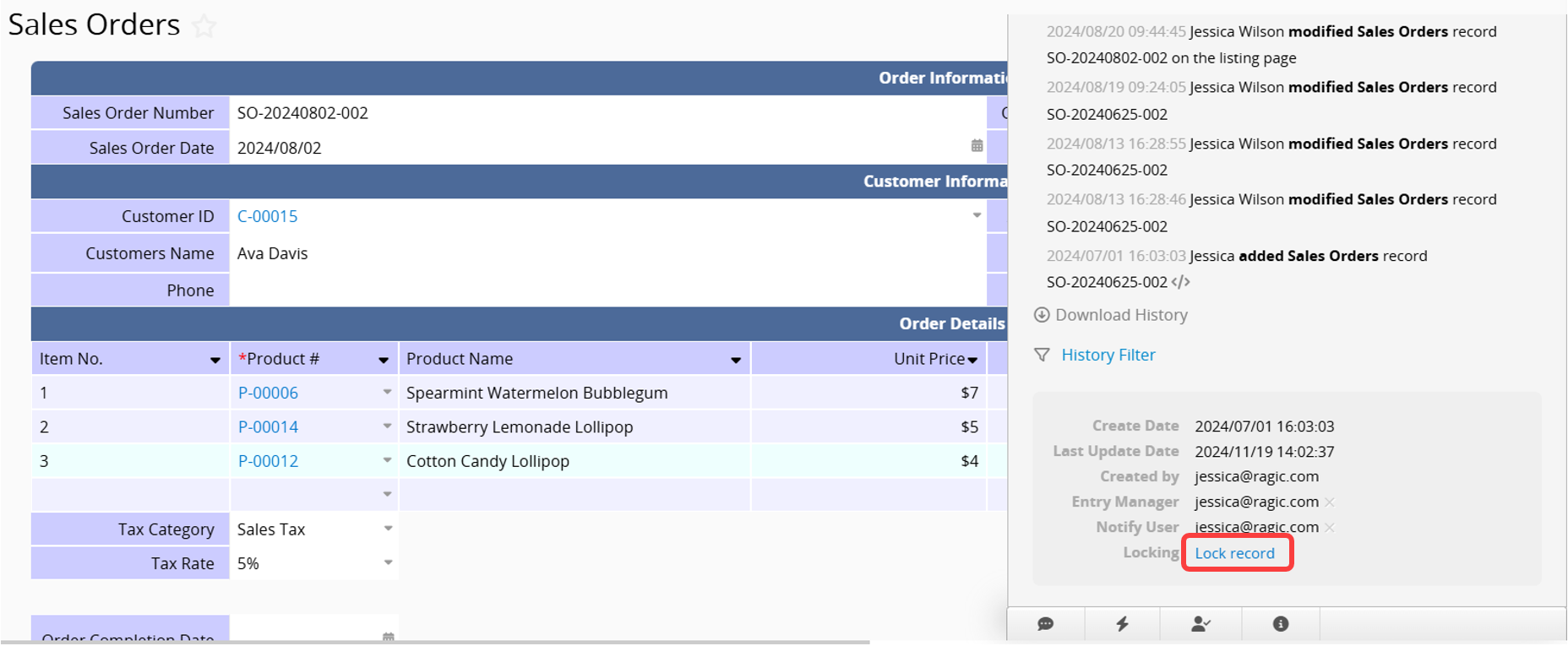
You can lock records you have view access to, making them read-only: click the information icon (i) at the bottom right corner of the Form Page, then click Lock Record. You can also use this method to design the lock record feature as an Action Button.
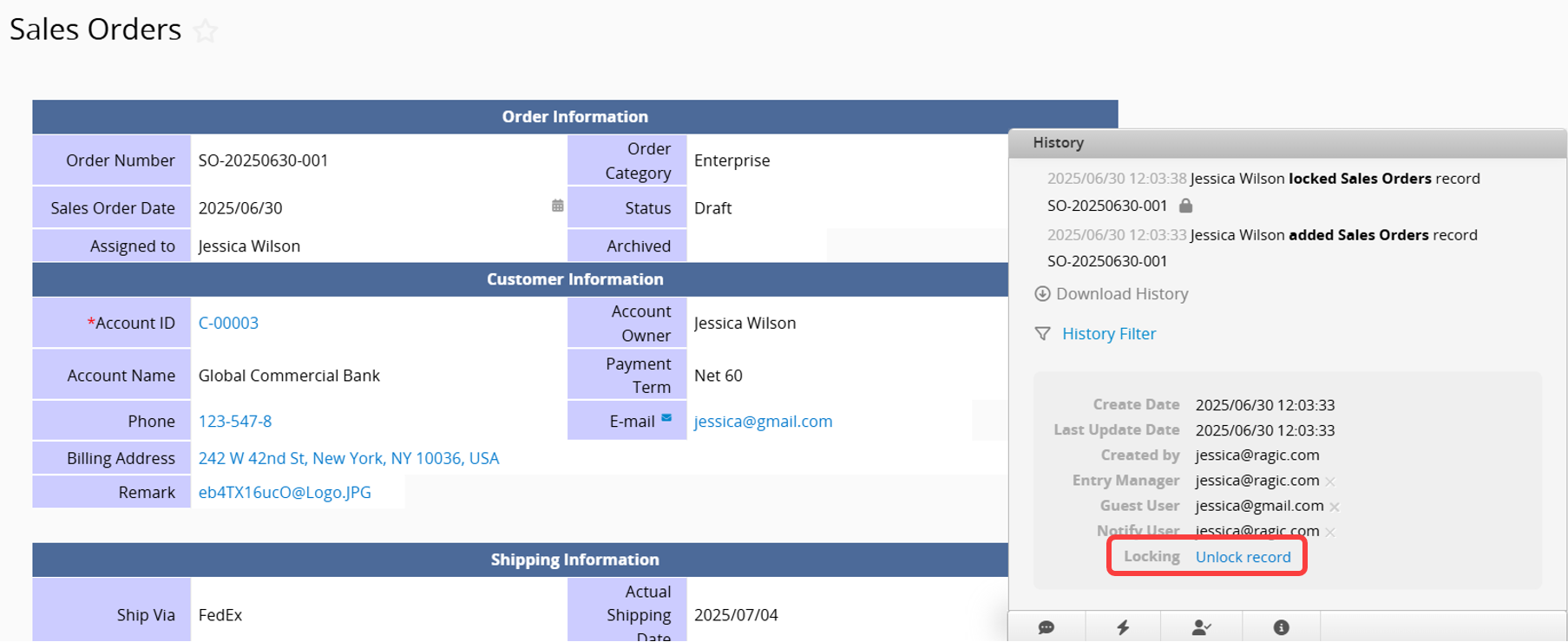
To unlock a locked record, simply click Unlock Record in the same location.
1. Automatic locking when editing the same record simultaneously. For more details, refer to this article.
2. If Lock record when approval starts is enabled in the Advanced Settings of the Approval Flow, the record will be automatically locked when the approval process begins.
3. If Convert Rec_lock Source is enabled in the Advanced Settings of a Convert Records button, the source record will be automatically locked after conversion.
 Thank you for your valuable feedback!
