 User guide
User guide
User guide
If you don't see the following features on the sheets, this may be related to your Feature Access Settings. Please contact your SYSAdmin to check whether the "Mass Clone" permission is enabled.
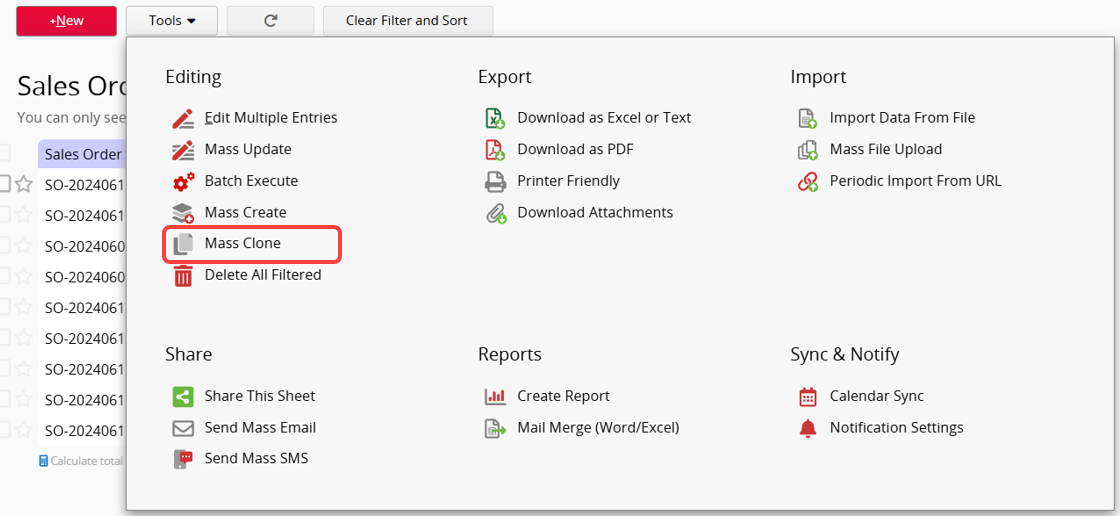
On the Listing Page, click on Tools and select Mass Clone to copy all the filtered or selected entries at once. If no filters are applied or no entries are selected, all records in the sheet will be copied.
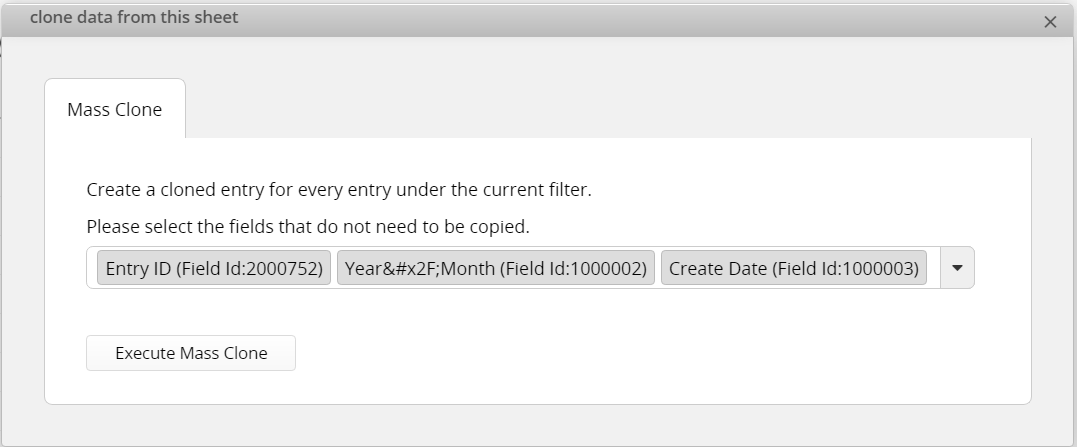
You can select the fields that do not need to be copied, then click "Execute Mass Clone" to complete the process.
For example, in the "Employee Payroll" sheet, you can execute Mass Clone for all employee payroll records. By utilizing the sheet's existing formulas, default values, Link & Load, you can generate a batch of new employee payroll records at once.
 Thank you for your valuable feedback!
