 User guide
User guide
User guide
In Ragic, if you use features including Email This Entry, Send Mass Email, Reminders, and Send Custom Email, you can see the email history of the entry on the Form Page.
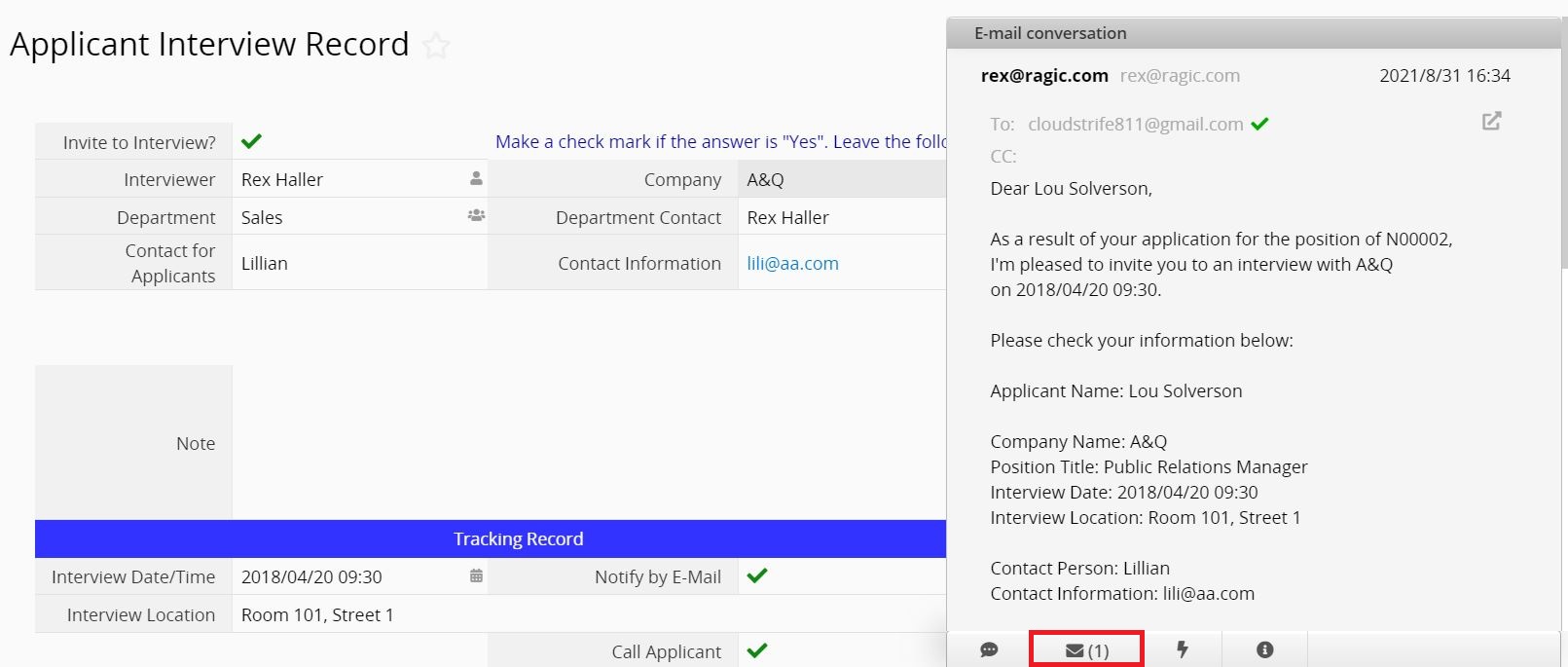
If someone sends an email to the email address of the entry, it will also show up in the email history of the record.
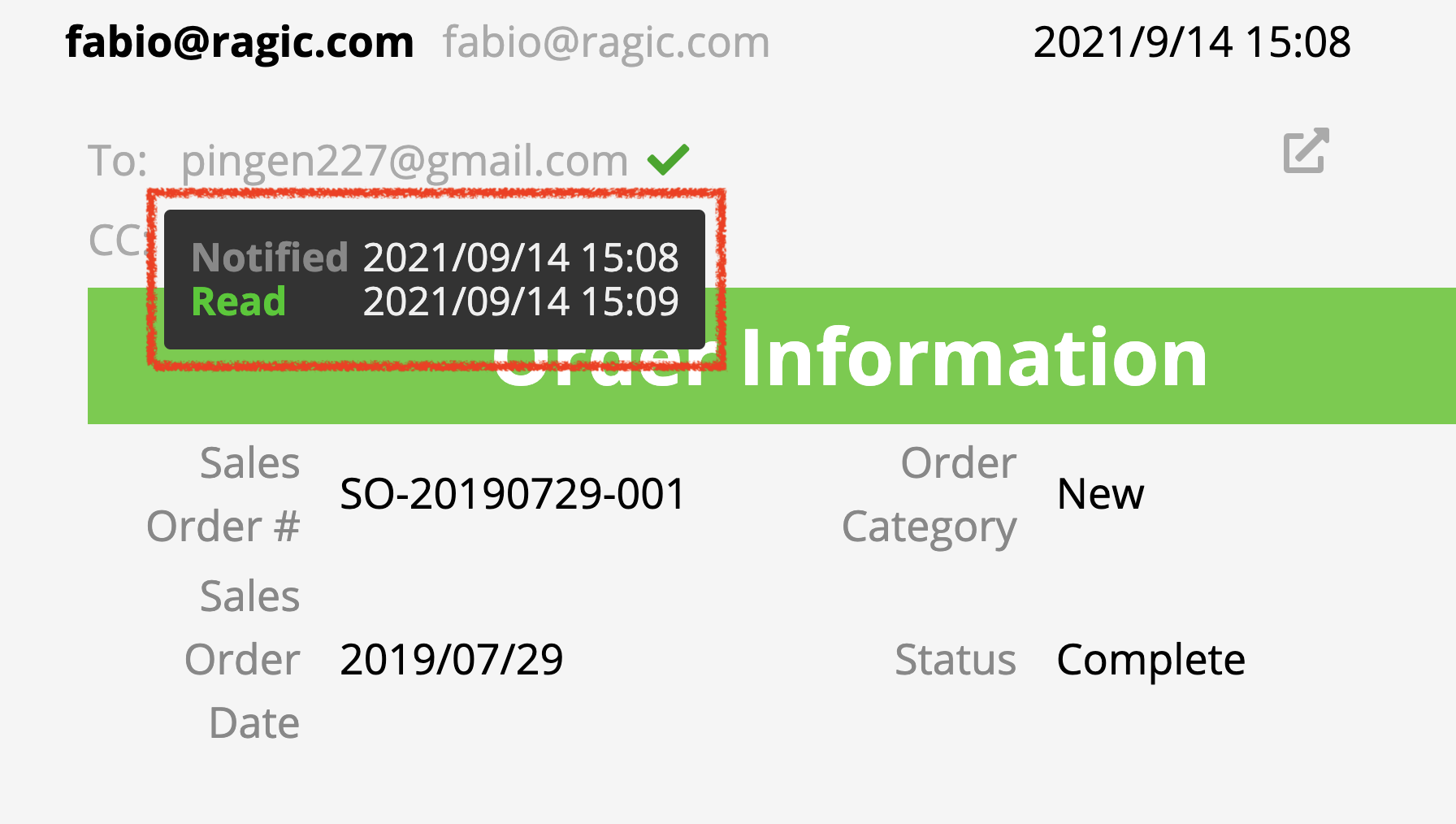
If the email includes a tracking pixel, hovering over the recipient's email address will display whether the email has been read, along with the notification time and read time.
For further instructions, please refer to the E-mail Support Ticket System Template.
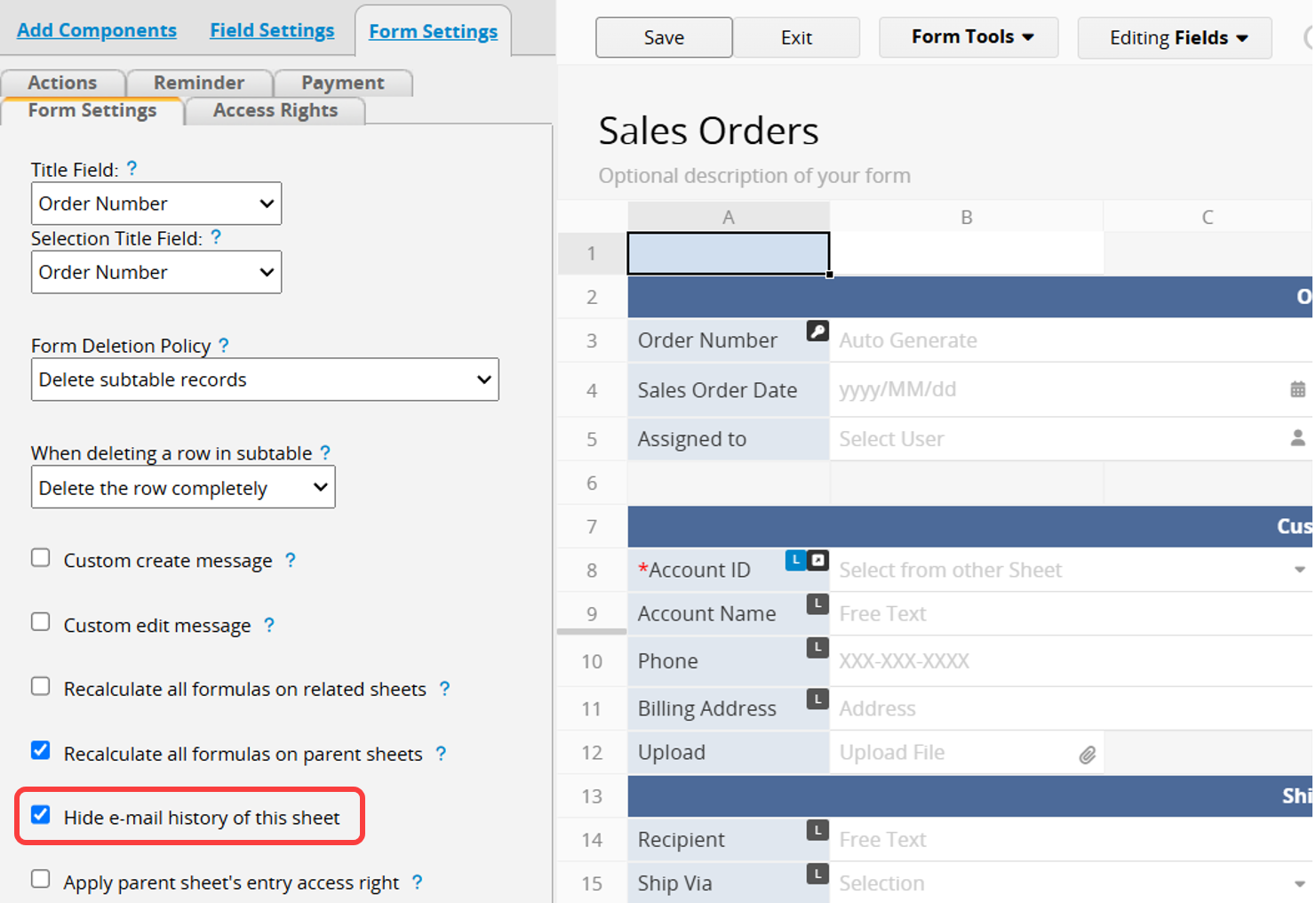
If you do not want to display email history, please ask your SYSAdmin to go to the Form Settings tab in the Form Page's Design Mode, then enter Form Settings and check the option Hide e-mail history of this sheet.
 Thank you for your valuable feedback!
