 User guide
User guide
User guide
If you don't see the following features on the sheets, this may be related to your Feature Access Settings. Please contact your SYSAdmin to check whether the "Download Files From Listing Page" permission is enabled.
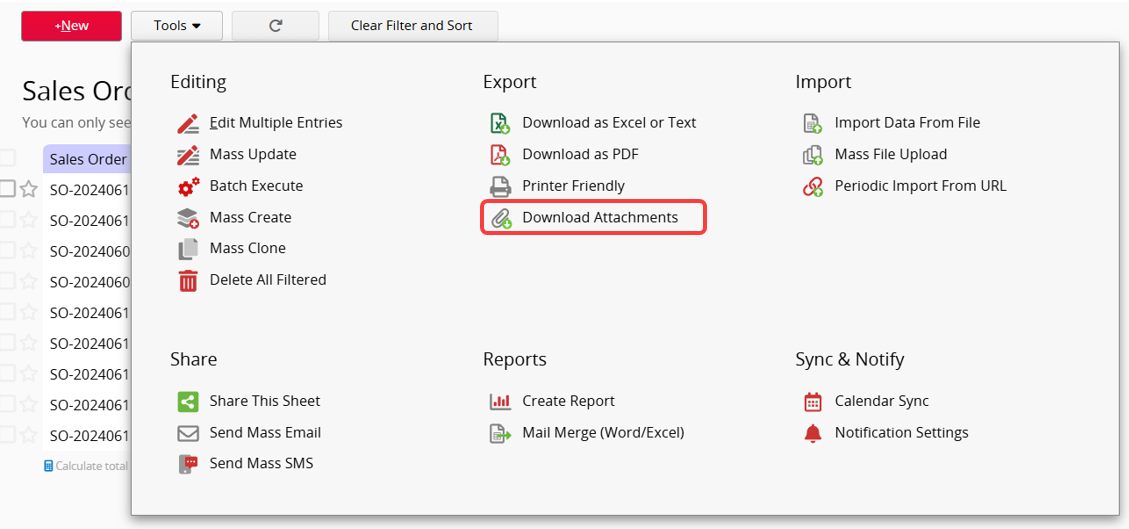
To download multiple files from the File Upload or Image Upload fields for existing records in a sheet, go to the Listing Page and click Tools > Export > Download Attachments.
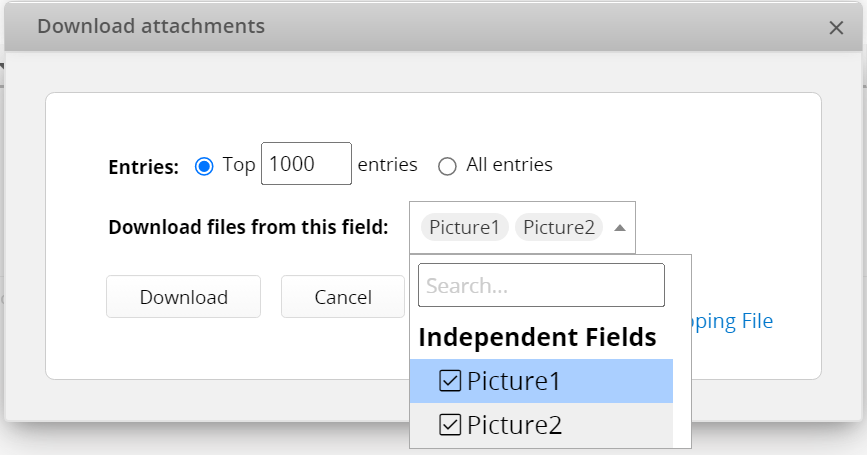
Select the fields and record range you want to download (both independent fields and Subtable fields are available). This will generate a .zip file containing all the files from the selected fields.
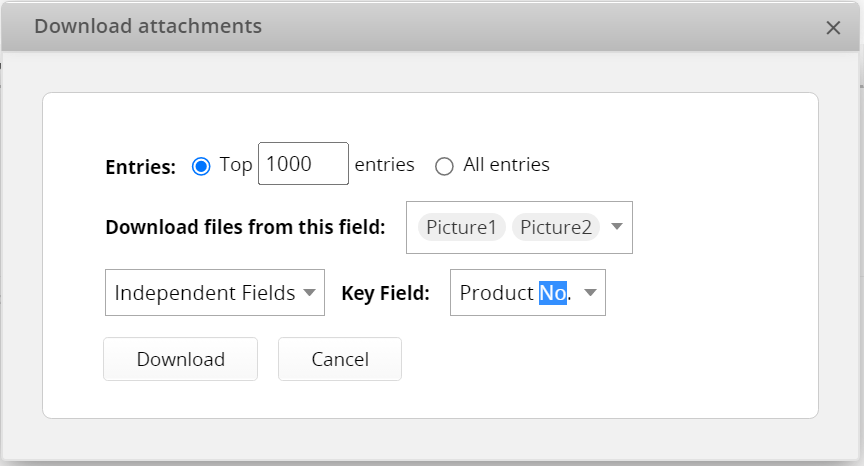
If you previously uploaded a mapping file (mapping.xlsx) during Mass File Upload, you can click Add Mapping File and select the Key Field to download it as a .zip file.
 Thank you for your valuable feedback!
