 App guide
App guide
App guide
After logging in to the app, you will see the screen shown below. At the top, you will see the Main Menu, Database Name, and current Tab Menu Set. The middle area displays the Tabs in that Tab Menu Set, followed by Offline Data settings, and the bottom shows the Main Function Bar.
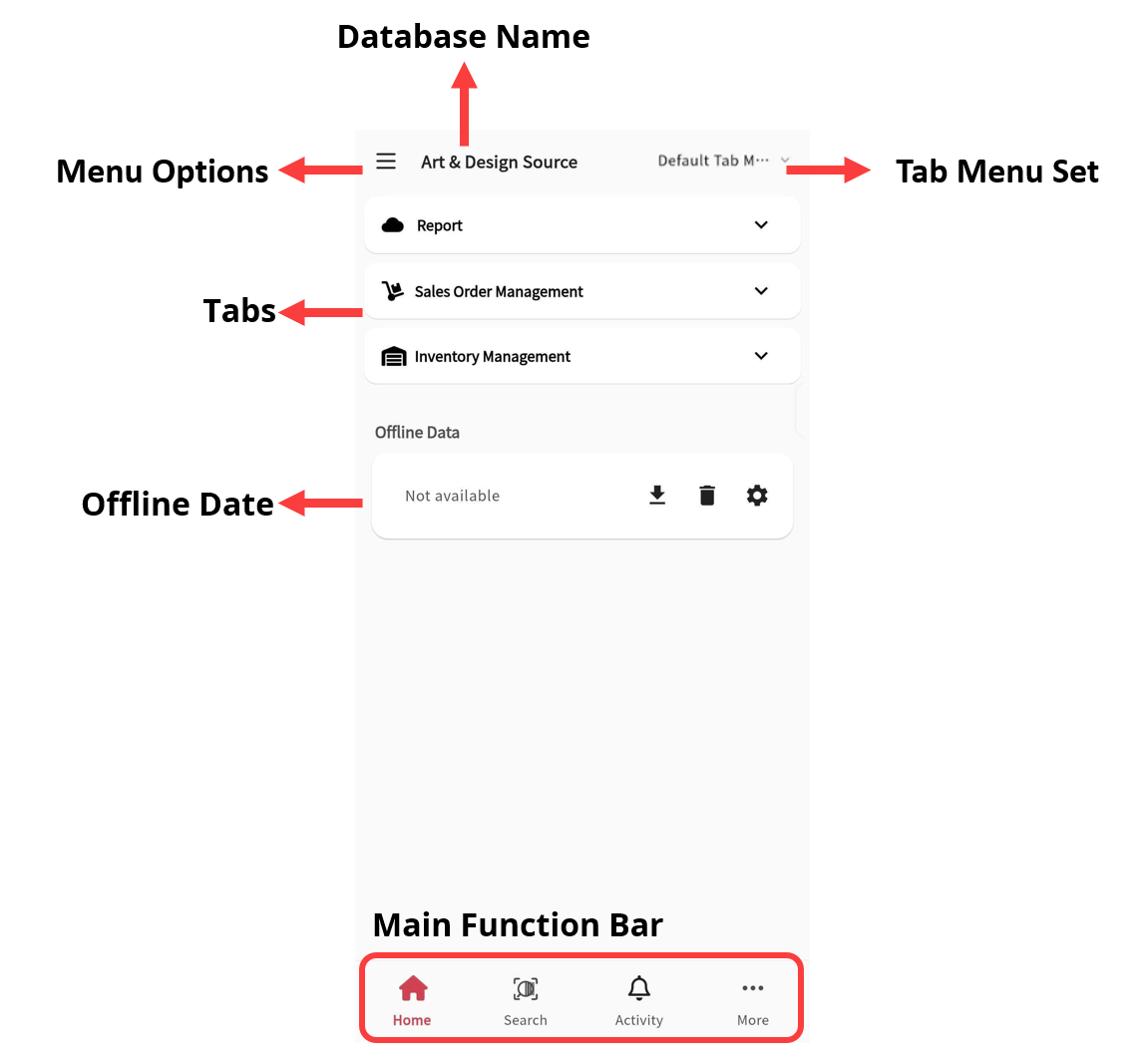
First, click the Menu at the top left to open the following options:
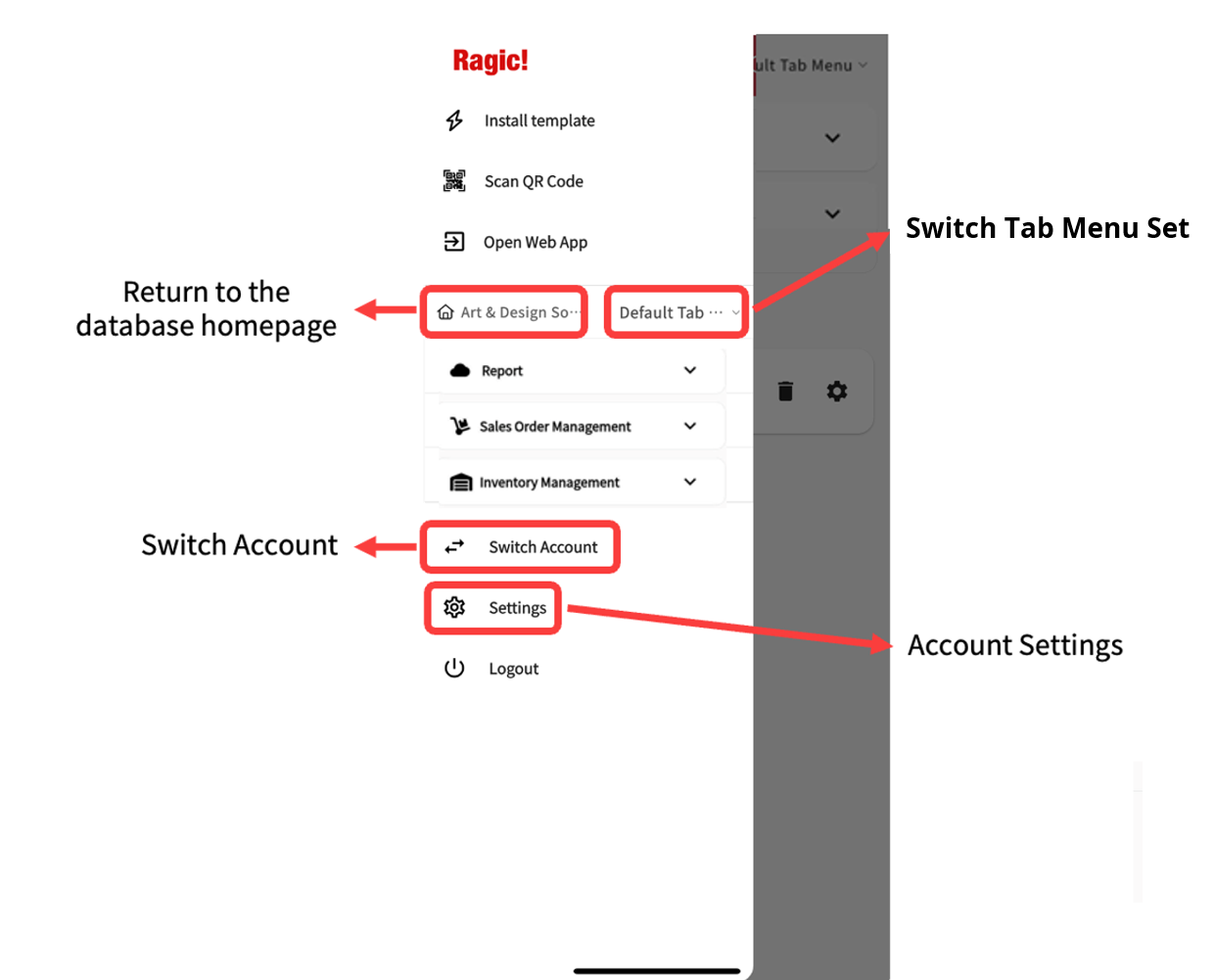
The following describes each option in the Main Menu in order:
Users with SYSAdmin access can use this feature to quickly install Templates to speed up form creation.
Note: Sheet design and customization must still be done on the web version.
Scan a sheet’s QR code to quickly open a specific sheet or trigger an Action Barcode set up on the form.
When new features are not yet available in the mobile version because the update is pending iOS or Android review, this option allows switching to the web app interface.
Tap to quickly return to the database homepage.
Tap to display a dropdown of the other Tab Menu Sets in the database, and switch to a different one.
If the user account has access to multiple databases, this feature allows switching between them.
Access the general settings for the database. See the Account Settings section for more details.

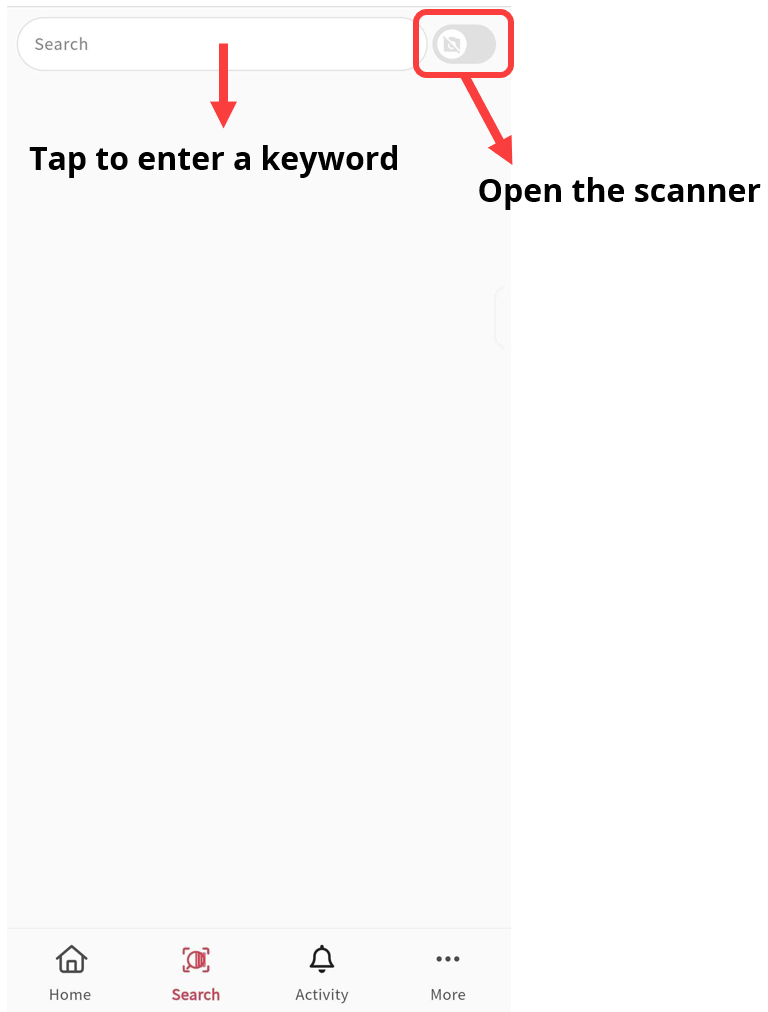
You can search for records by entering keywords or by scanning a barcode, which will take you directly to the specified sheet or record (Action Barcodes are not supported here).
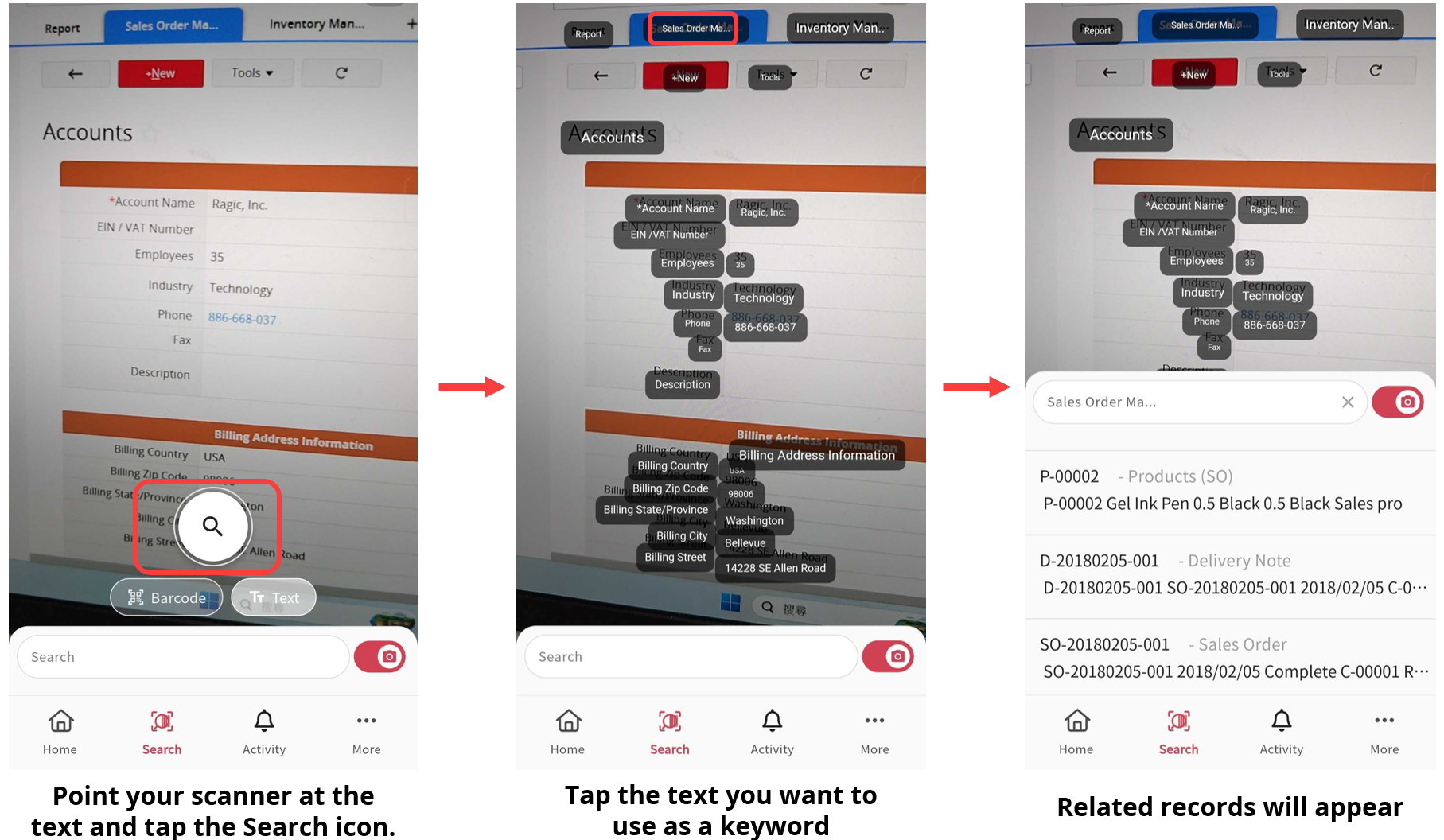
You can also scan text to use it as a search keyword.

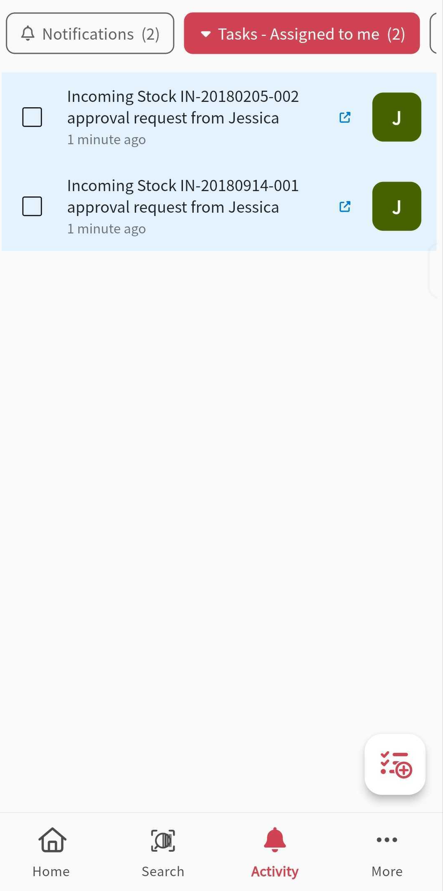
Click here to view Notifications and Tasks. These work the same way as in the web version. Please refer to the related documentation for more details.
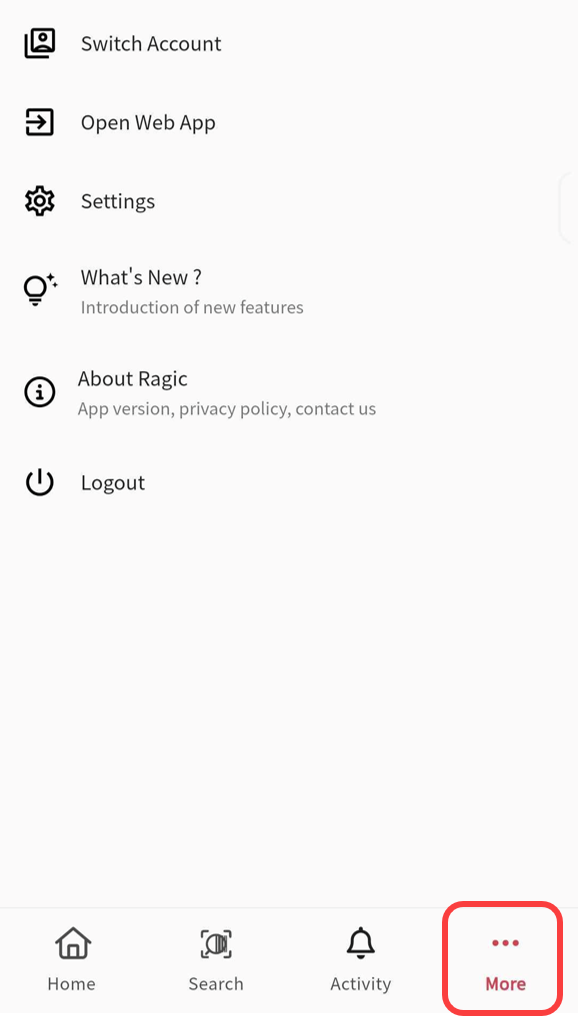
Click More to switch accounts or open web App, just like from the Main Menu, as well as to view an introduction to the New features and the About Ragic information.
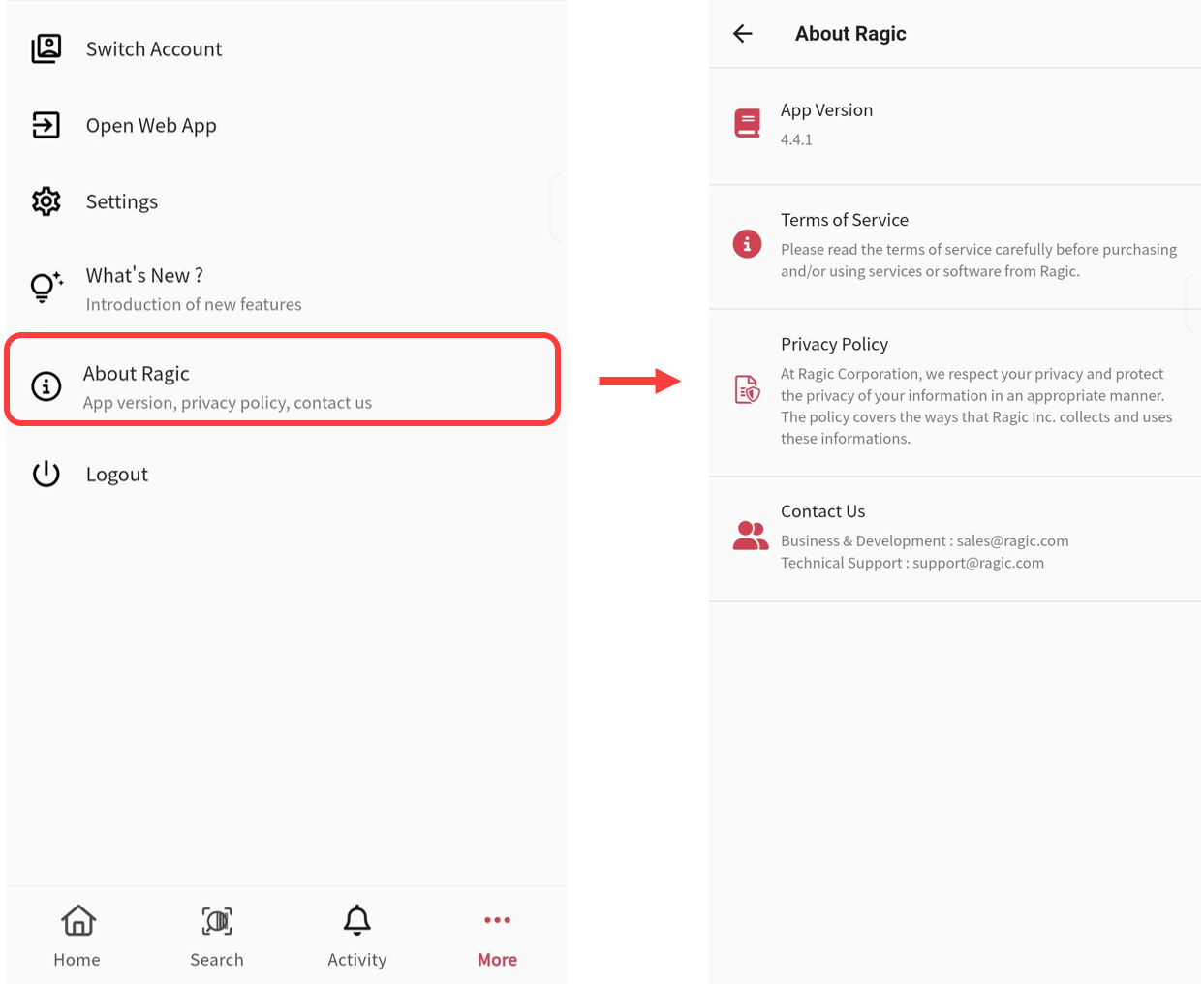
About Ragic
Displays the current version of the Ragic App. When reporting an issue to customer support, it's helpful to include this version info for quicker troubleshooting.
To contact support:
・On the web version, click Need Help > Support Ticket in the upper-right corner.
・Or in the app, tap Contact Us > support@ragic.com to send an email.
 Thank you for your valuable feedback!
