
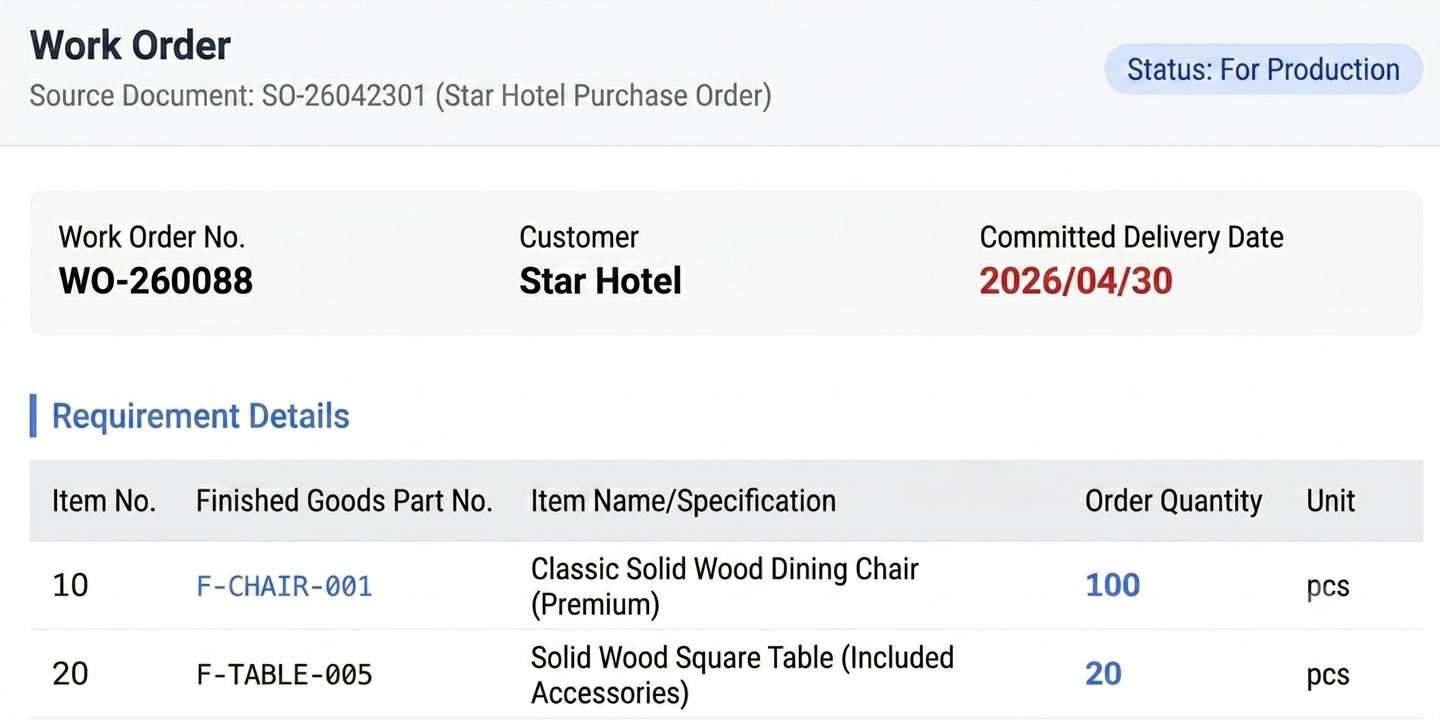
In a more detailed production management system, if a work order describes the demand such as: "the sales department needs 100 chairs and 20 square tables by April 30, 2026":
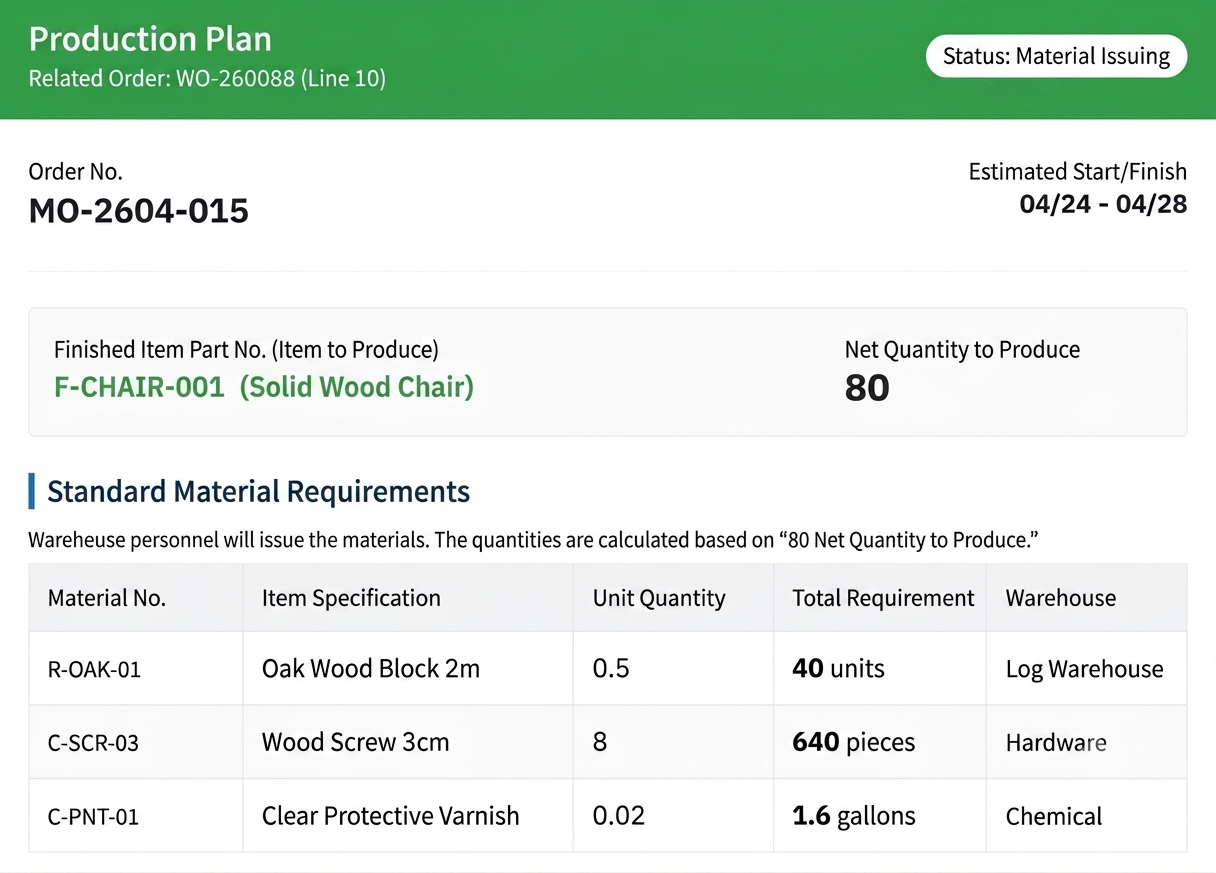
This acts as the "production plan" for the production department to fulfill the sales department's requirements, how many chairs still need to be produced, and how much materials is required.
A Production Order is then used to provide detailed instructions needed for the workstations and personnel to execute the production plan. For example: To produce 80 chairs, John is responsible for cutting wood into 80 sets of chair legs and backrests at Cutting Line 1. After that, Bob will sand and polish the 80 sets of chair legs and backrests produced by John, and so on.
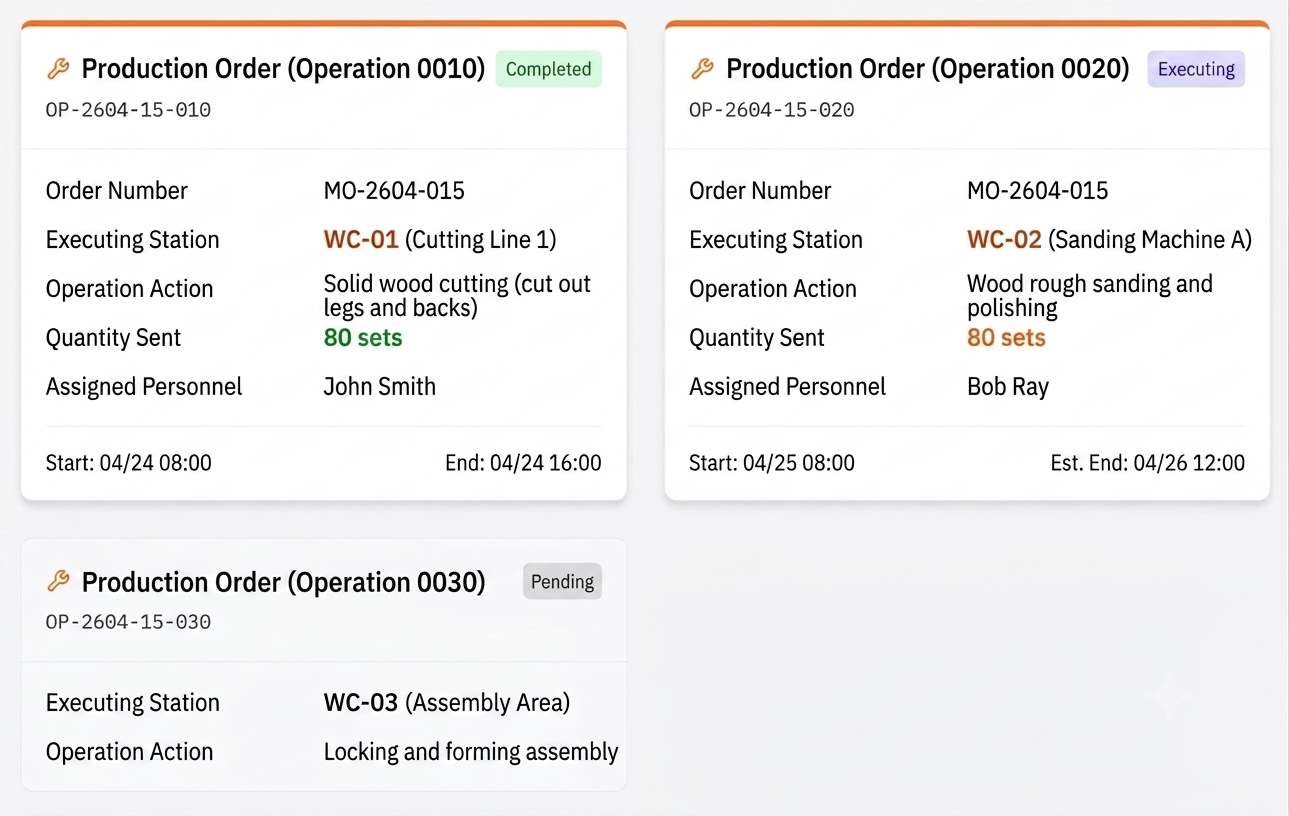
This is the core value of a Production Order: It doesn't just define what needs to be produced; it also specifies where the work should be performed and who is responsible for it. Without Production Orders, we might know that the factory is producing chairs, but we would have no visibility into where the process is being delayed, whether the issue lies in the assembly stage, or whether problems began at the very step of cutting wood.
The primary difference between a Production Order and a Work Order or Manufacturing Order lies in the "reporting" step, known in practice as "production reporting."
On the factory floor, once John finishes cutting the 80 sets of chair legs and backrests, he marks the Production Order as completed and transfers the materials to Bob, who is responsible for polishing. This simple action is highly significant for management. It signifies that the materials have transitioned from raw materials with multiple uses into semi-finished goods specifically for wood chairs, and that progress has officially moved to the next station (Sanding and Polishing).
Through production reporting, managers can accurately track the yield rate and efficiency of every process. For example, if a Production Order for material preparation reports only 28 completed units, we immediately discover that 2 units encountered issues. Perhaps they were accidentally damaged. This real-time feedback allows issues to be detected and addressed as they occur, rather than being discovered just before final shipping.
The reason for separating Production Orders from higher-level Manufacturing Orders is often to provide a more granular level of management. Manufacturing a product typically involves dozens of individual processes spread across different teams, departments, or production facilities. A Manufacturing Order is like the a movie production's master plan— It oversees the overall budget, quantity, and production schedule. On the other hand, a Production Order is the production schedule for each individual scene, ensuring that each task is properly prepared and completed before the next step begins.
For industries that require precise labor tracking or strict quality inspections between production stages, Production Orders are essential. They allow managers to answer questions such as: Which machine has the highest utilization rate? Which process stage generates the highest scraps or defects? Where are the bottlenecks of production process?
These granular data forms the foundation for continuously optimizing production efficiency and reducing hidden costs.
In manufacturing environments, Production Orders often take the form of Transfer Slips. This document moves alongside the semi-finished goods as they move through production. For example, a transfer slip may travel together with the 80 chair components from one workstation to the next. At each stage, operators scan a barcode or sign off on the document to confirm completion of their work. This creates a complete production history for every finished product. By the time the product is completed, the company can trace exactly who performed each operation, when it was completed, and which machine or workstation was used. This level of traceability is critical for quality control, compliance, and continuous process improvement.

