 Learning center
Learning center
Learning center
When a project has multiple workstreams running at the same time, managers often have to open each project one by one to see which stage it is in and where things have gone off track. By combining the Listing Page with Conditional Formatting, managers can see at a glance which stage each project is in and which stage has run into issues.
The following example uses a "Project Tracker" sheet to show how to track a project from Requirements to Closed.

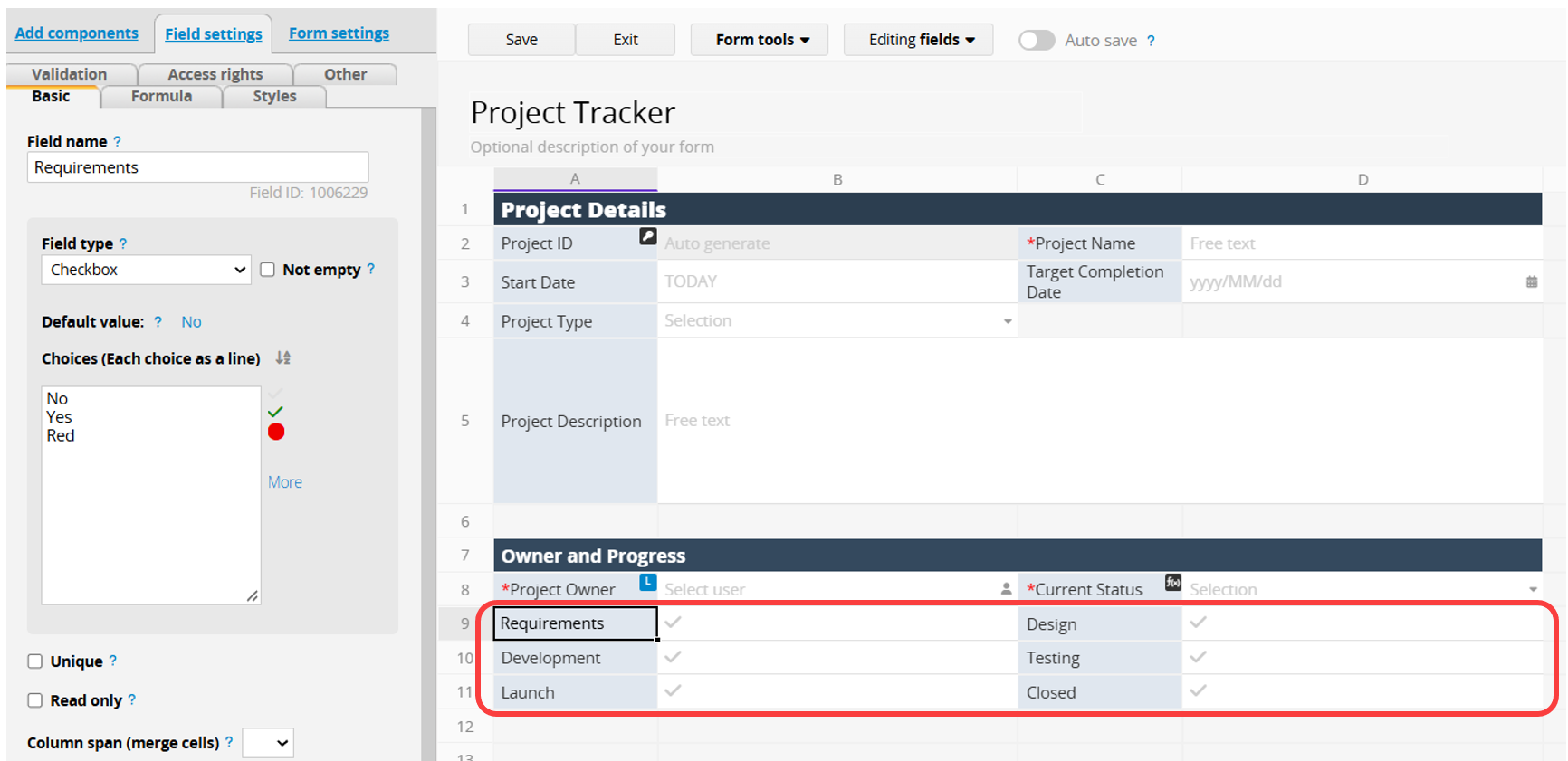
In the "Project Tracker" sheet, create a separate Checkbox field for each stage (Requirements, Design, Development, Testing, Launch, and Closed).
A Checkbox field only has "Yes" and "No" by default, but you can add other option values, such as "Red" or "X", to flag issues like "Development Delayed". See the documentation linked above for details.
In Conditional Formatting, set the background color of each stage field based on its value. For example, show green when a stage is complete and orange-red when it is flagged as delayed.
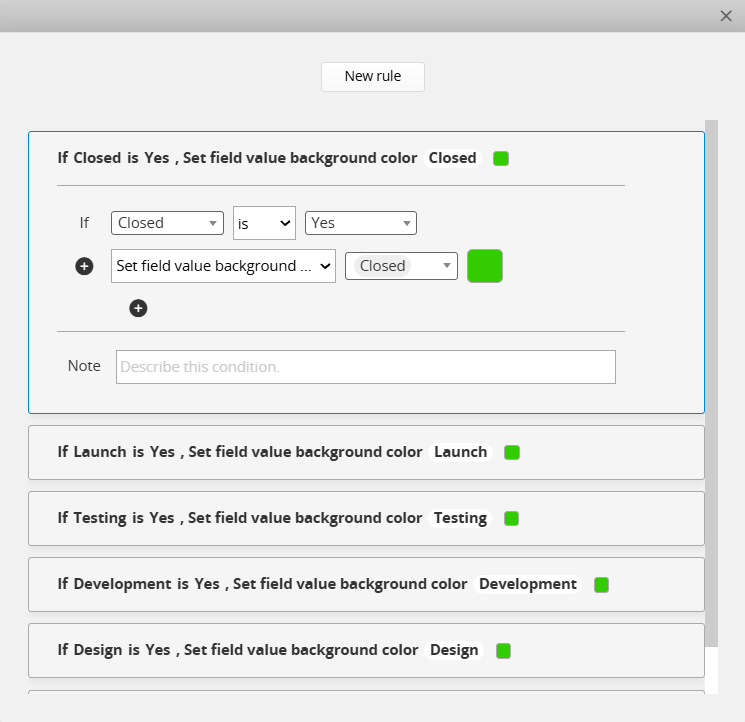
Conditional Formatting for the Listing Page and the Form Page must be set up separately. To see the colors on the Listing Page, be sure to configure them there.
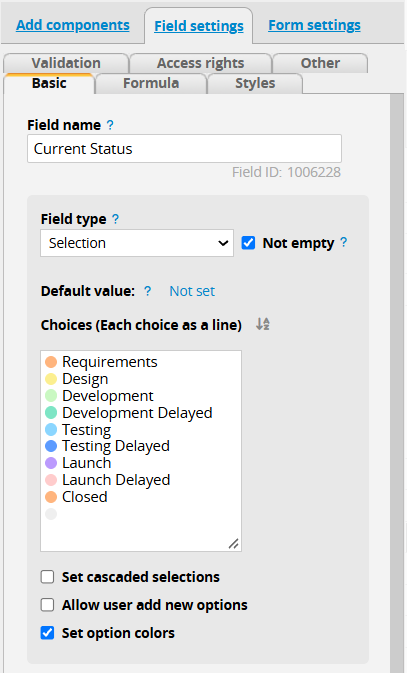
You can also display each project's "Current Status" on the Listing Page, such as "Testing" or "Development Delayed".

To do this, create a Selection field and enable Set option colors so that each status appears in a different color. In addition to the stages, add the delayed statuses, such as "Development Delayed", to the options.
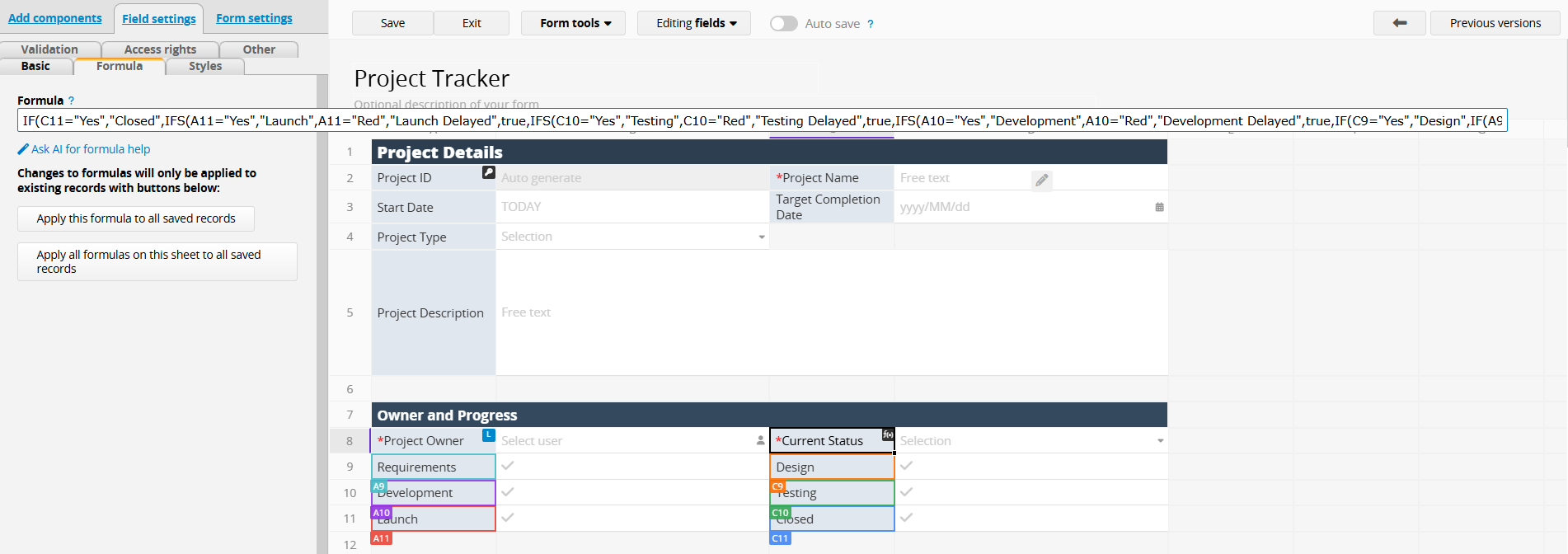
Next, set up a Nesting Conditional Formula to fill in the current status based on the stage fields. The formula checks the stages from last to first. It first checks whether the "Closed" field is checked. If so, it returns "Closed". If not, it checks the "Launch" field, and so on.
Here is an example formula:
IF(C11="Yes","Closed",IFS(A11="Yes","Launch",A11="Red","Launch Delayed",true,IFS(C10="Yes","Testing",C10="Red","Testing Delayed",true,IFS(A10="Yes","Development",A10="Red","Development Delayed",true,IF(C9="Yes","Design",IF(A9="Yes","Requirements",""))))))
Note: If a stage has three or more possible values (for example, "Yes", "No", and "Red"), use an IFS formula for that stage, as in the "Launch", "Testing", and "Development" stages above. Otherwise, an IF formula is enough.
 Thank you for your valuable feedback!
