 Learning center
Learning center
Learning center
A product that you manufacture or sell may have different suppliers and raw materials purchased at different times. In this case, it is crucial to mark and differentiate between different batches or lots of goods, which will help you easily manage inventory, especially when dealing with perishable goods. Whenever products are shipped, the "lot number" should be noted down in addition to recording the product number, product name, and related documents such as the sales order and delivery note. When products are placed into storage or returned by the customer, the lot number of these products should also be clearly visible on the receiving note and return note. All of these form part of "lot number management."
If you receive customer complaints or discover potential product issues, lot number management will also allow you to quickly analyze and summarize the status of inventory from different production dates and suppliers based on the lot number. This can help you decide whether to conduct a unified recall for an entire batch of goods.
With an effective lot number management system, you'll also be able to apply FIFO (First-In-First-Out) inventory management better as well. In FIFO, the oldest stock is issued or sold first before newer stock. It’s especially useful for perishable goods like food or pharmaceutical products to reduce the risk of expiration. Lot number management helps you keep track of product expiration dates, allowing you to coordinate with other business functions, decide which batches of goods should be prioritized for shipment, and ensure proper disposal of expired or obsolete items.
Since not all industries require FIFO and batch or lot number management, Ragic currently does not include a built-in modules or templates specifically for FIFO or lot number management. However, as Ragic is a highly flexible platform, this article will go through steps and methods businesses can take to manage product batches and achieve FIFO on Ragic. It is important to note that this does not enable "automatic FIFO," but rather enables FIFO through the use of lot number generation and management.
Let's start with a simple scenario and use a Ragic sheet to demonstrate. Suppose my inventory is straightforward— I only have a single warehouse to manage, which means all my inventory is stored in the same location. My Inventory Sheet might look like this:
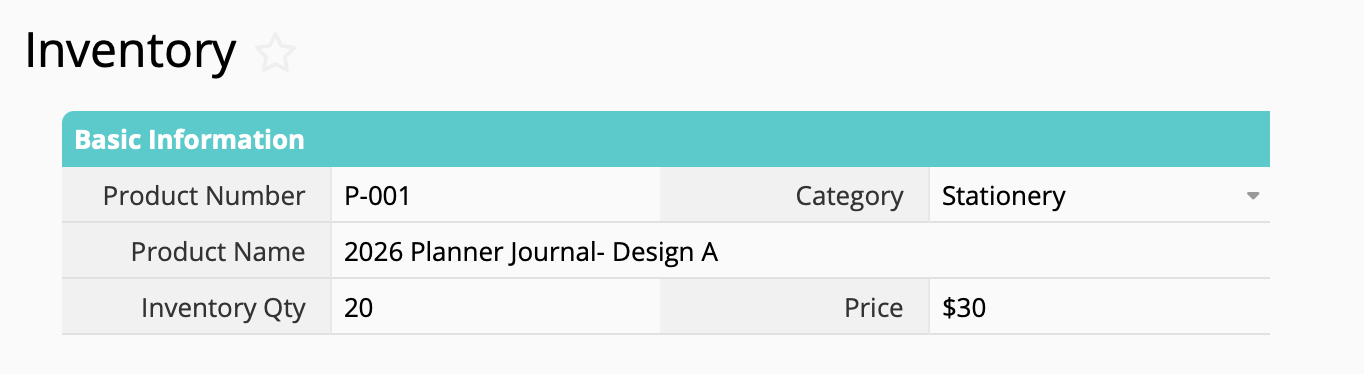
If we want to record different lot numbers for this product "2026 Planner Journal- Design A," how should we design our system? We can think of it as dividing a single product into multiple lot numbers. Therefore, we can't simply create one "lot number" field. Since regular independent fields only store one value, adding a simple "lot number" field can only capture one lot number.
If you have used other systems before, you probably know that lot numbers are usually displayed underneath the product or inventory's master record. In other words, you must first select the product, then you will see the product's details and its associated lot numbers under that product. This idea of "list items" is essentially what subtables are in Ragic.
This concept is similar to sales order management, where multiple order items that belong to a single sales order are recorded in a subtable. In customer relationship management, a client master record may have a subtable recording the company's contacts.
The relationship between a product and its lot numbers follow the same one-to-many structure. This is why using a subtable to design this is the most natural approach to meet our needs.
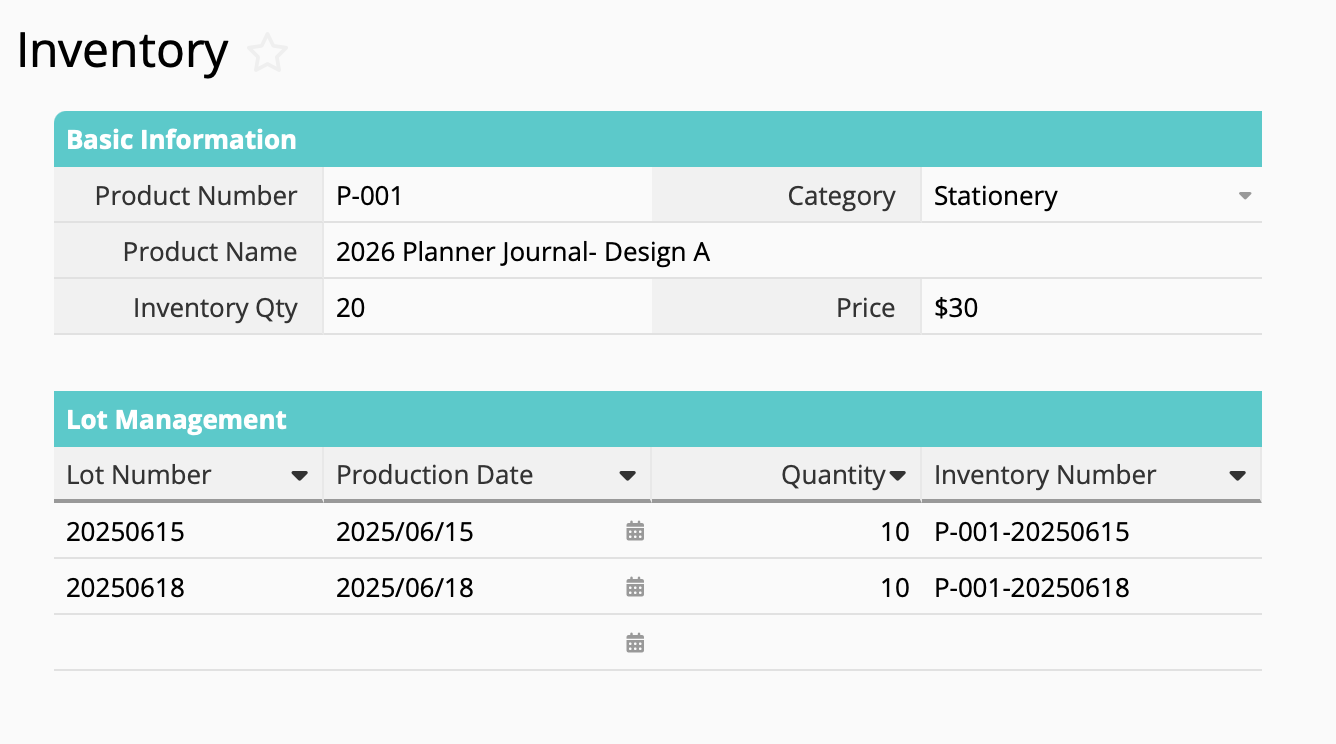
Tip: You can use formulas to automatically generate the Inventory Number and Lot Number.
Now we can record information for different lot numbers separately in the subtable. However, you may have noticed that with this setup, the product field in stock-in and stock-out sheets only shows the product as a whole, while inventory adjustments only apply to the total quantity of all lot numbers combined rather than individual batches.
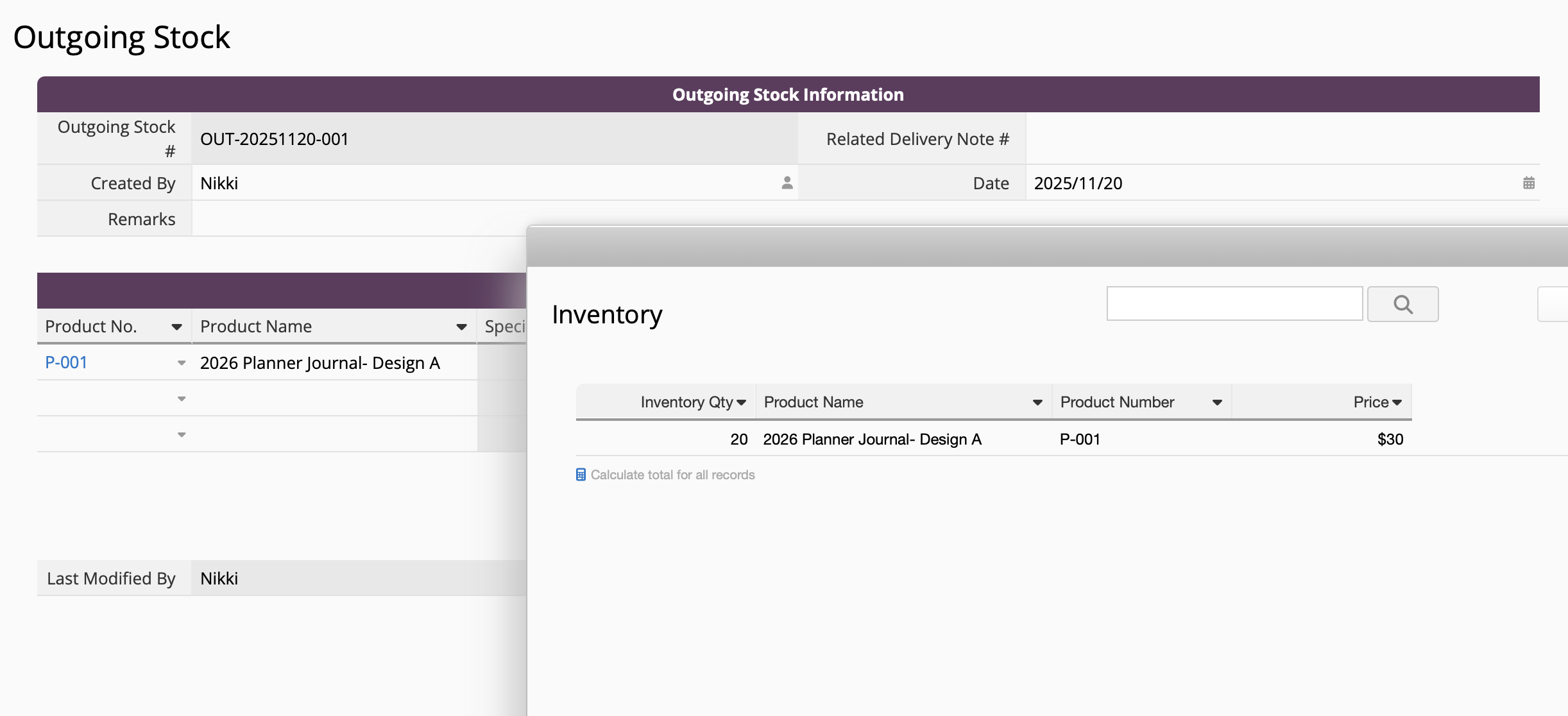
The reason for this is because subtables only allow us to conveniently display detailed information for different lot numbers within a single product. In other words, these lot numbers are not yet independent records, so they cannot be selected through link and load. By generating a new sheet from subtable, you can then convert each batch in the lot number subtable into independent records that support link and load.
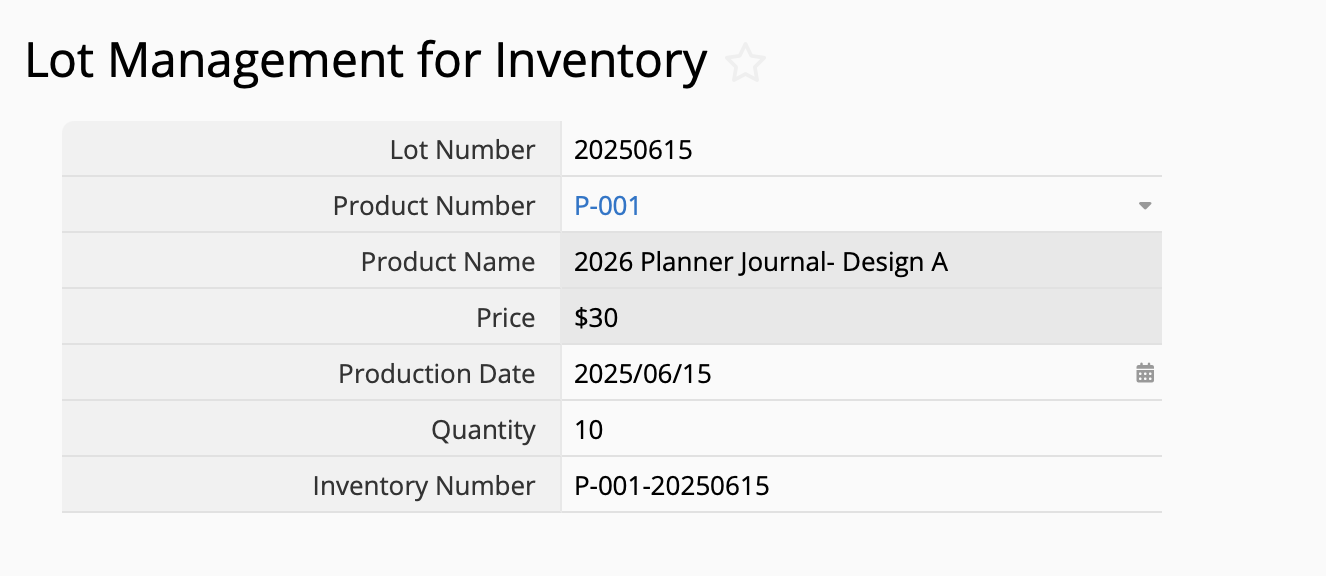
Once you have generated the sheet, you'll be able to accurately select inventory by their lot numbers in your stock-in and stock-out sheets. If you are trying to achieve FIFO, you can select the older inventory first when recording stock outflows.
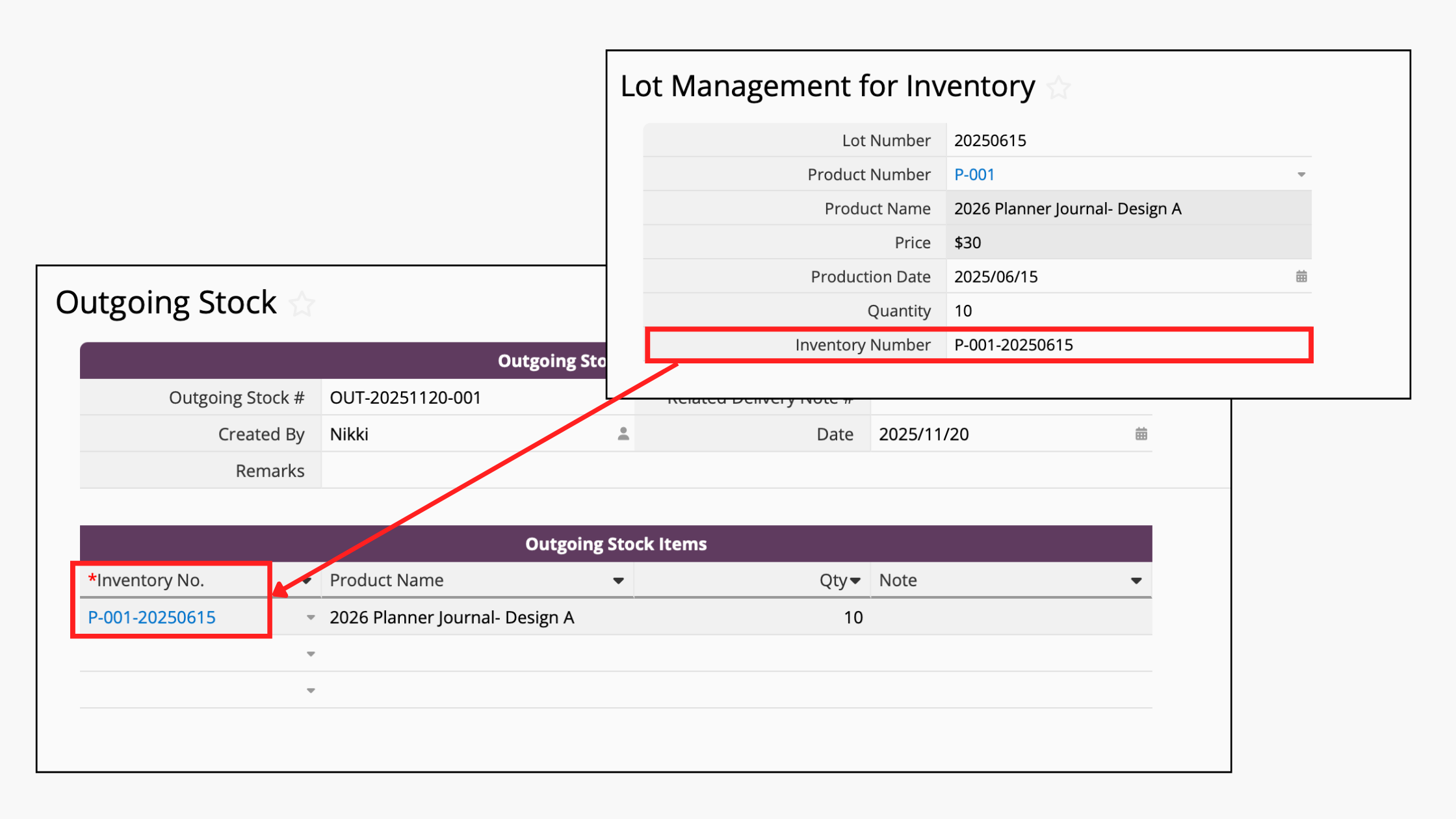
If you find that everything appears to be mixed together when selecting the Inventory Number from the window and inconvenient to look up certain lots and products, you can consider adding a product number field to your stock-in and stock-out sheet. With dynamic filtering, the link and load function can then filter the lot numbers based on the product number that you have selected. In short, the window will only show lot numbers belonging to the selected product.
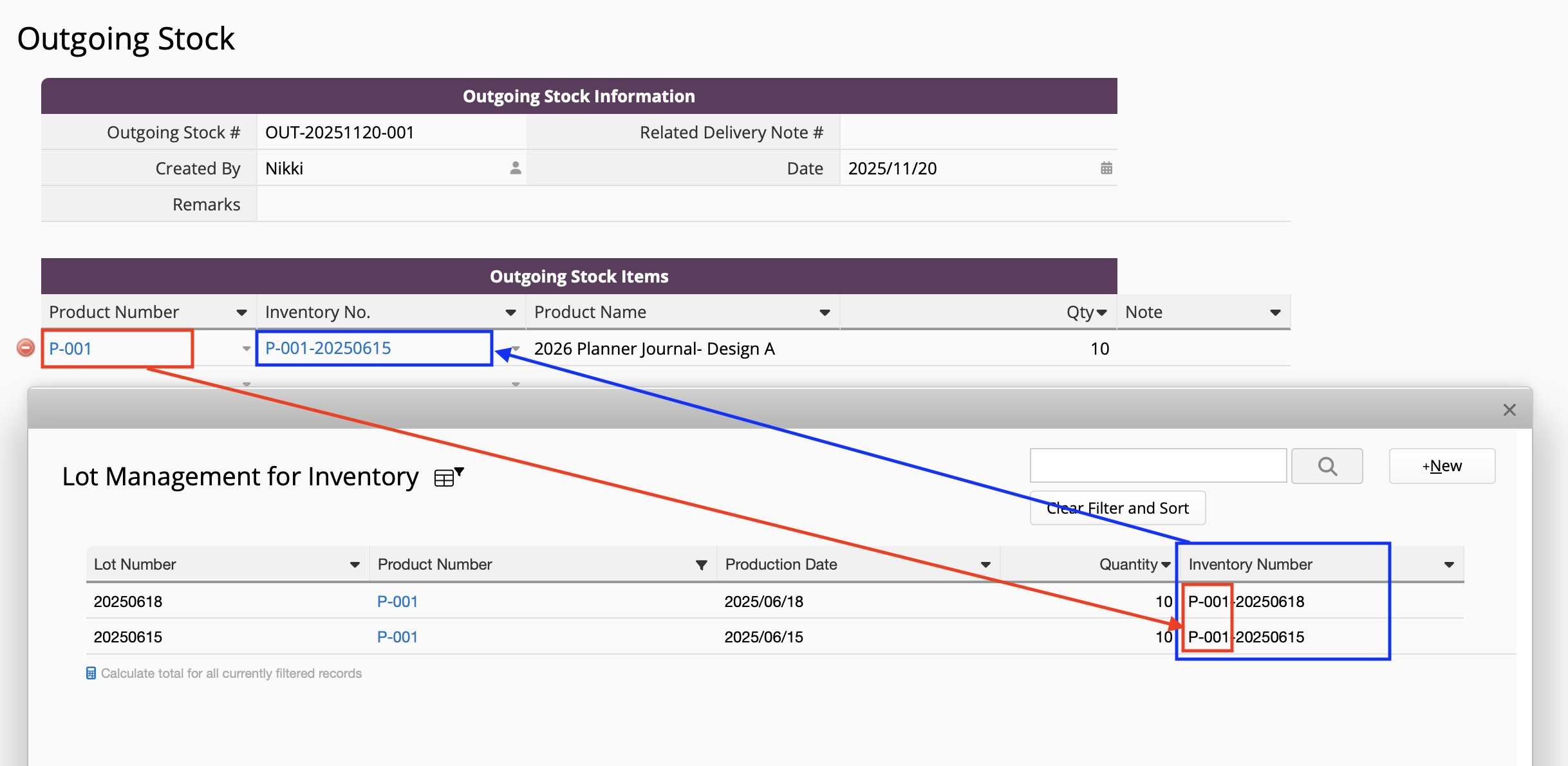
If you have multiple warehouses to manage, you should be working with several types of inventory balances. For example, in Ragic's inventory management module, there is a "Product Location Balance" subtable in the Inventory sheet that shows how much of the product is in each warehouse, as well as a new sheet generated from that subtable. It looks like this:
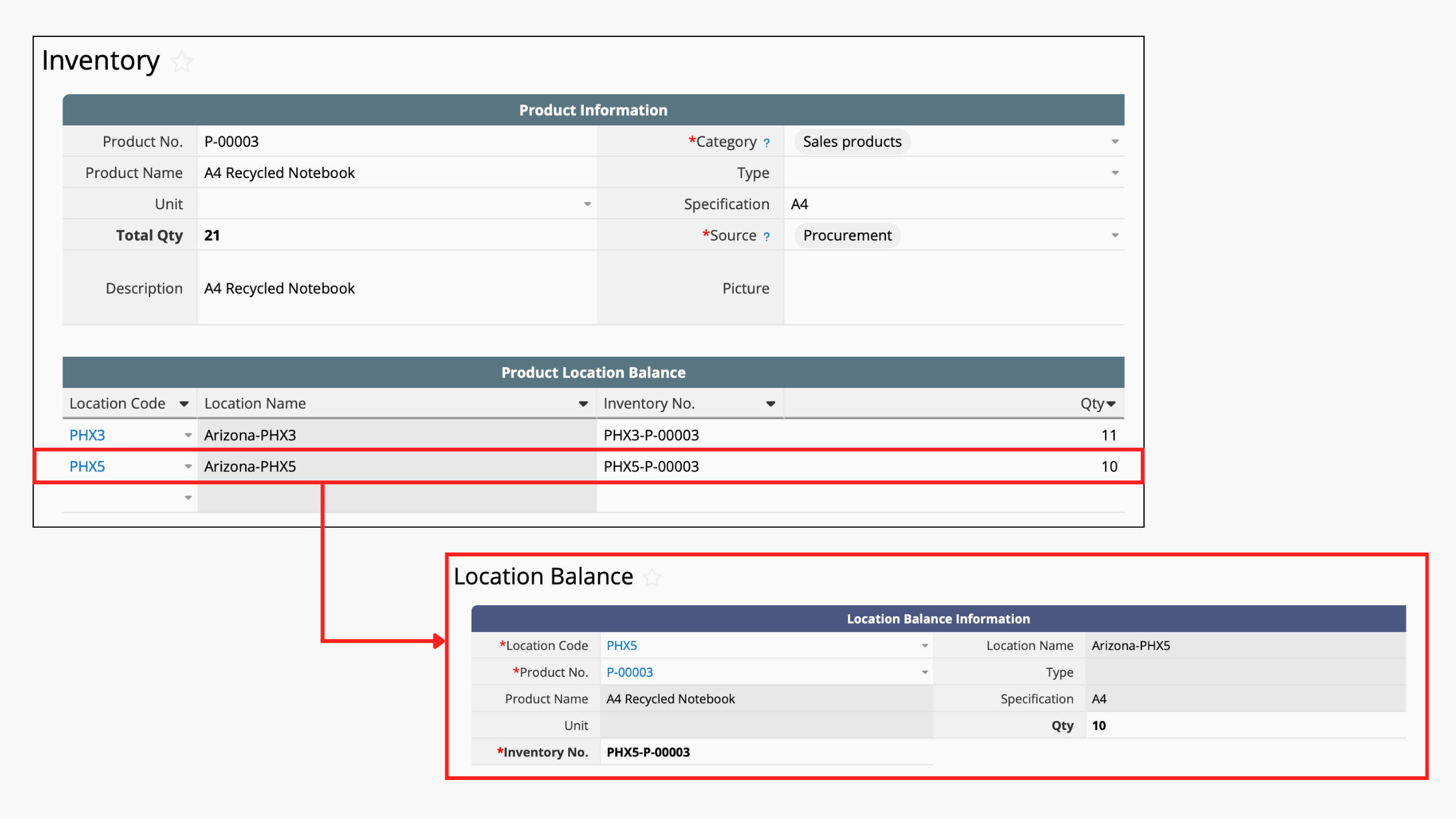
We recommend adding "lot number" starting from the primary source sheet, which is the Location Balance sheet that records how much of each product is stored in each warehouse. In other words, your original data structure might look like this:

After adding the lot numbers, the structure will look like this. The lot numbers under each warehouse are handled separately:

After adding the lot-number management subtable to your Location Balance sheet, it will look like this:
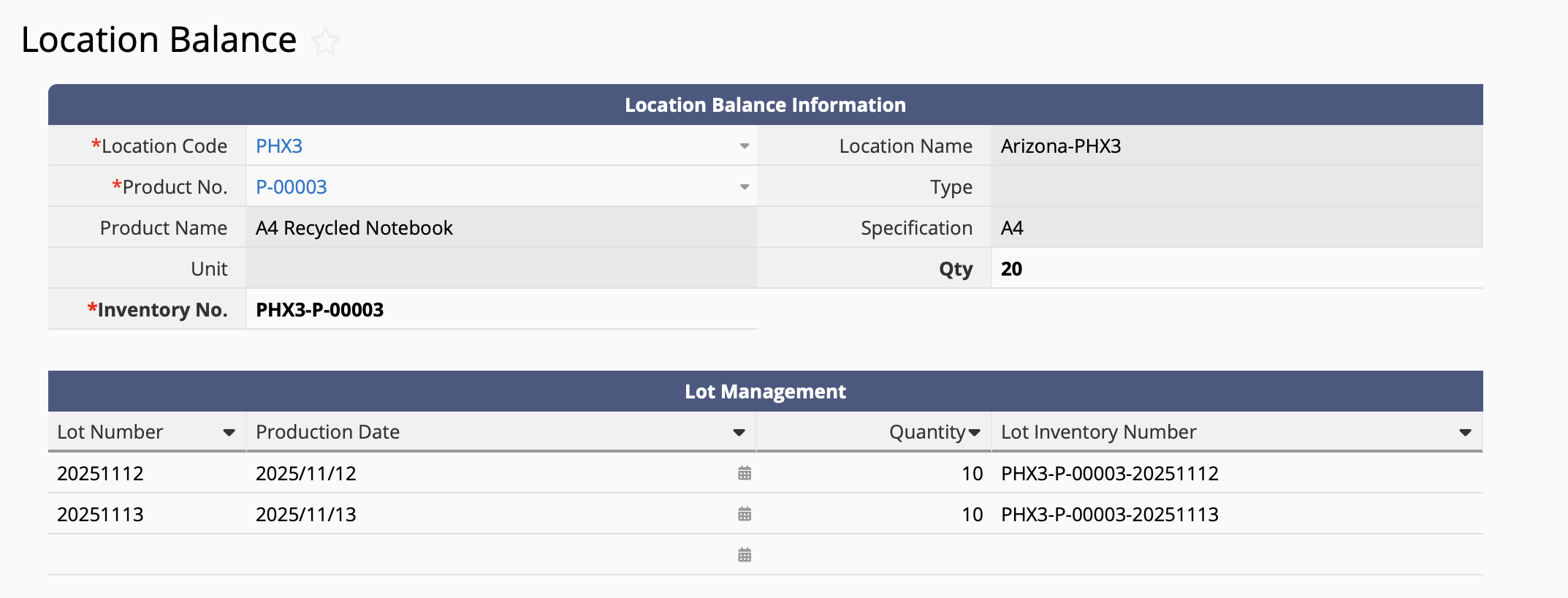
After creating the subtable, remember to generate a new sheet from subtable, so that each lot number becomes an independent record that can be selected through link and load. Next, update the link and load relationships on your Outgoing Stock and Incoming Stock sheets to link from the new lot number management sheet.
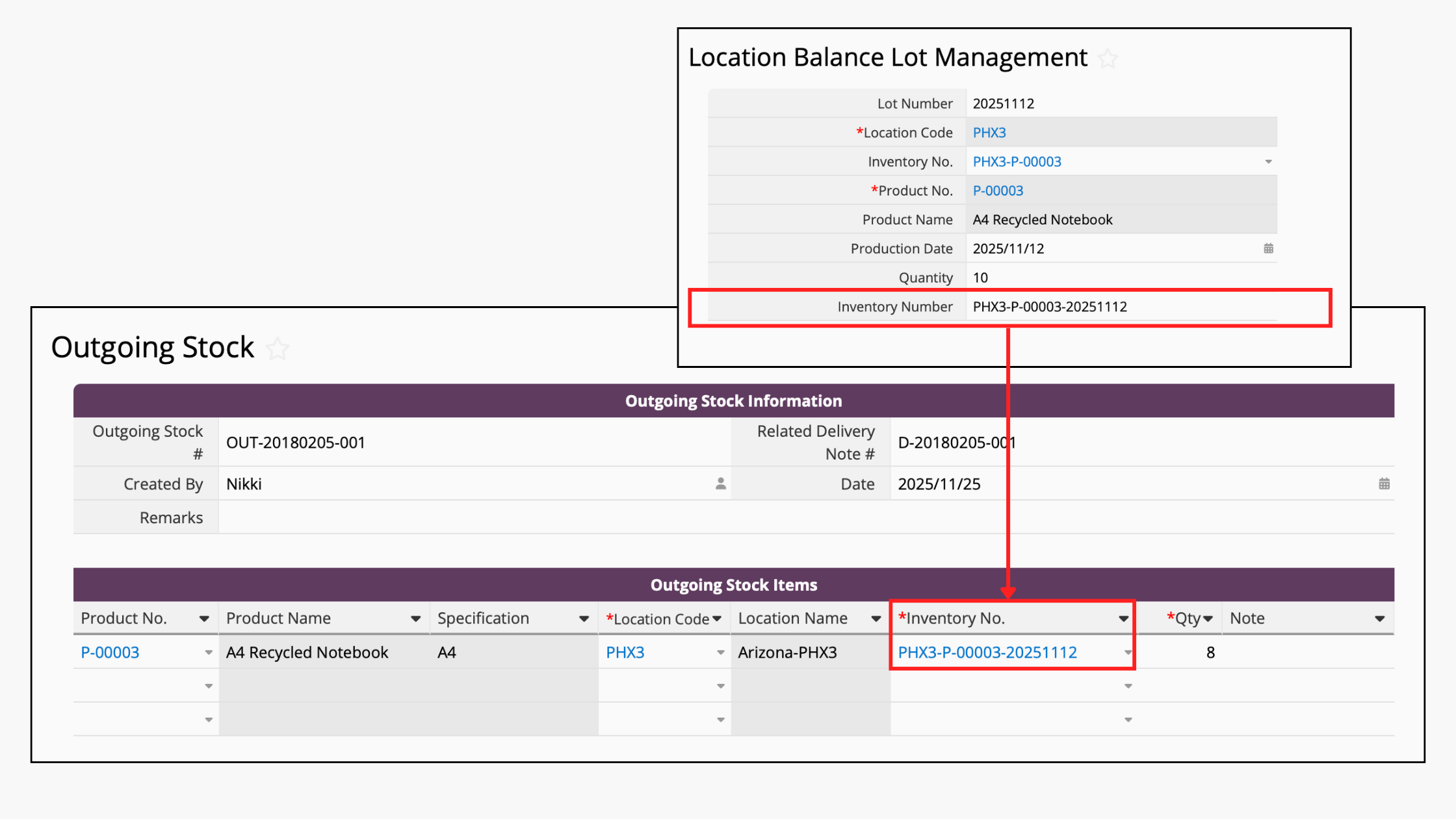
If you wish to track the sales status of each lot, we recommend inserting a reference subtable in the new lot number management sheet. You can refer to the method used in this article.
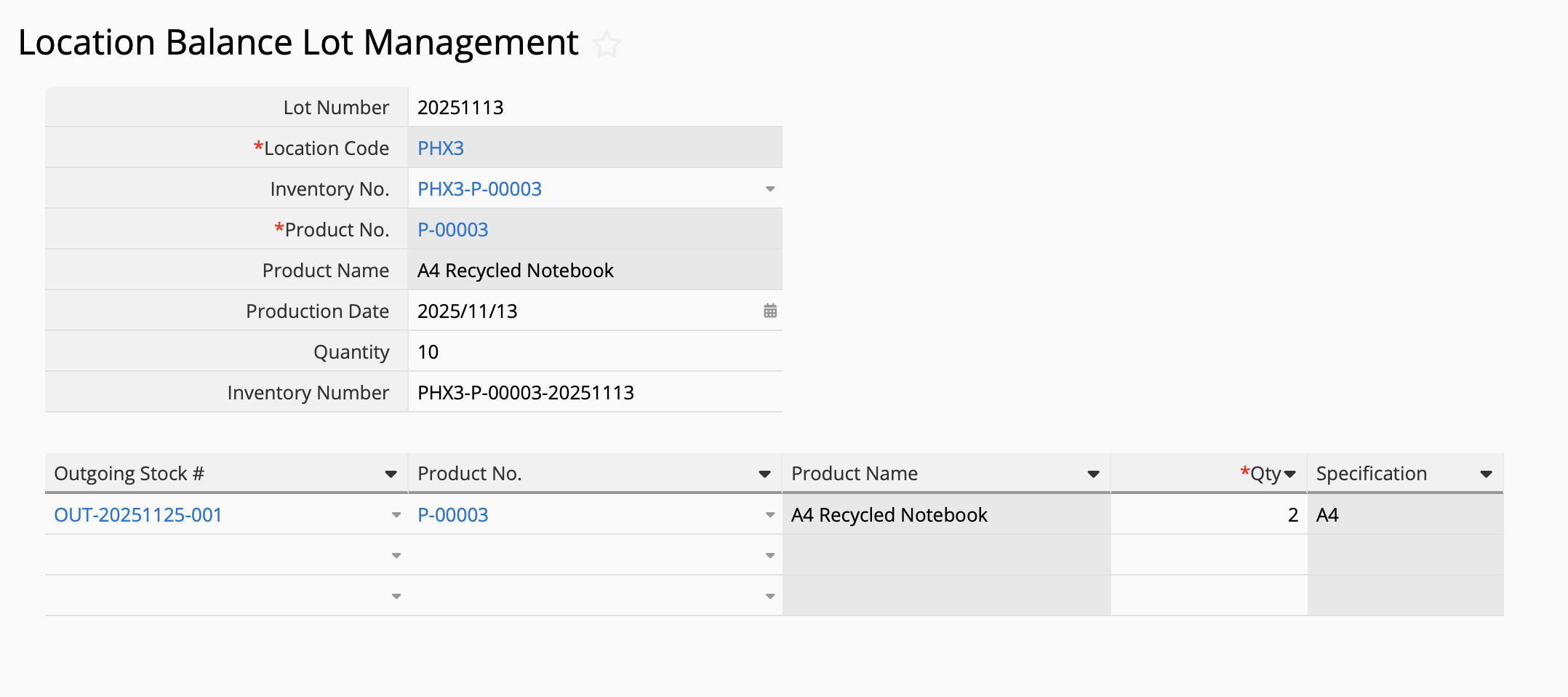
If you want to look up all the inventory in a production batch, you can use the filters in the new lot number management sheet to sort through the products and lot numbers. For example, if I want to search for all the products in the "20251112" lot, I can sort it as follows:

If your company has perishable goods with a limited shelf life, you can refer to the steps below to set expiry date warnings and reminders that can help businesses apply FIFO, prioritize older goods during shipments, and ensure proper disposal of expired or obsolete items.
Setting Expiry Dates
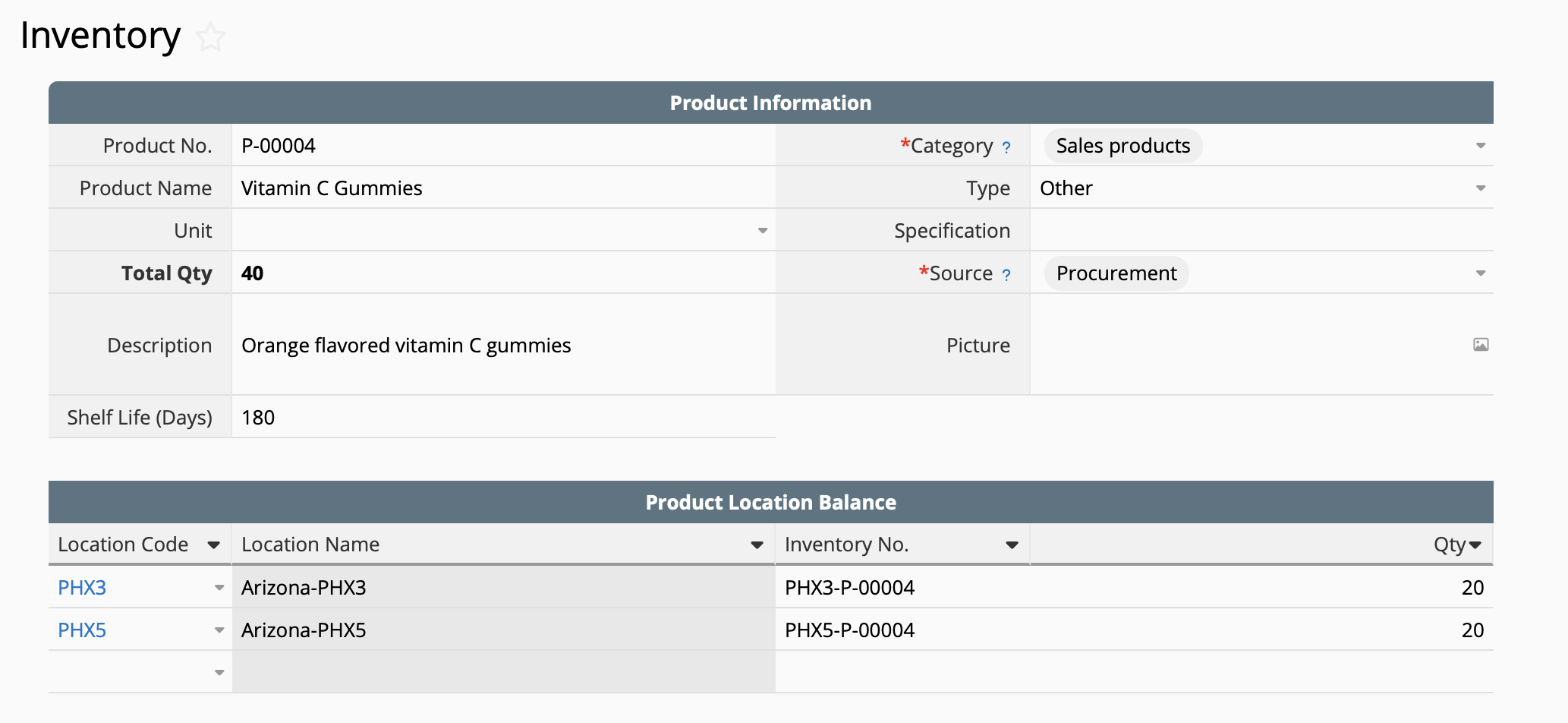
This tutorial assumes that each product has a set shelf life. For example, the product "Vitamin C Gummies" might have a 180-day shelf life from production date. First, add a field for "Shelf Life (Days)" in your Inventory Sheet like this:
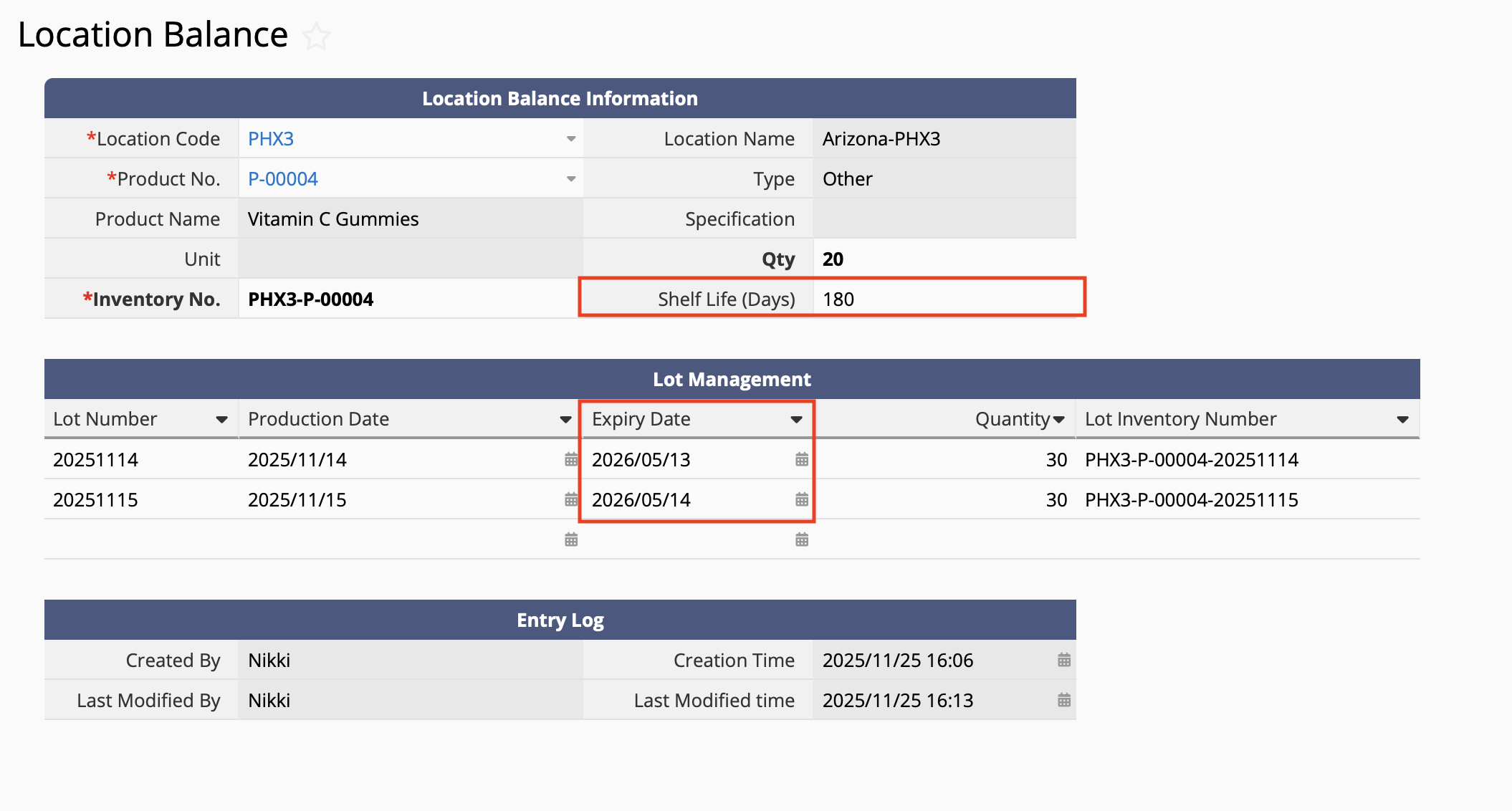
Next, add the same field "Shelf Life (Days)" in your Location Balance sheet and use link and load and sync loaded fields for the set shelf life to appear in the Location Balance sheet.
Add a new field "Expiry Date" in your Lot Management Subtable, and you can use formulas for the system to automatically fill in the expiry date based on the production date and shelf life:
Setting Expiry Date Warnings and Reminders
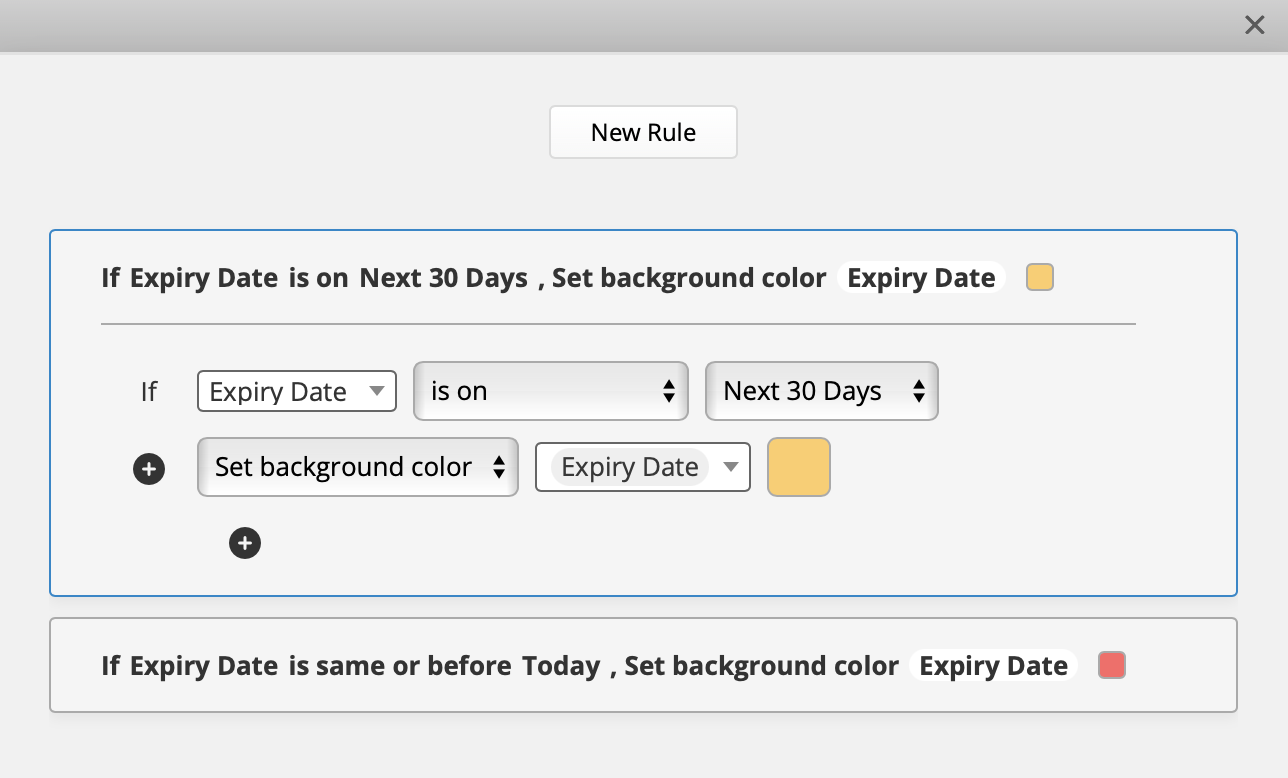
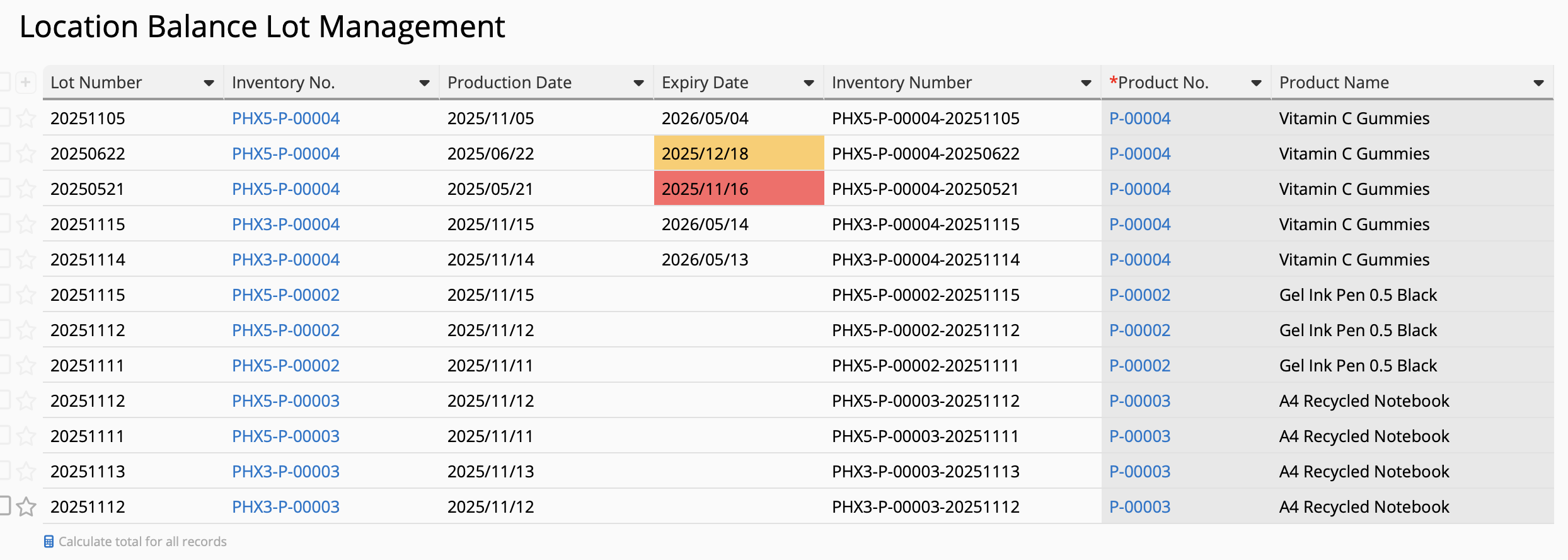
To help users determine whether good as expired or approaching their expiry date, you can use Ragic's conditional formatting function on your new Lot Management Sheet to set different warning colors for goods that are expired or approaching their expiry date.
For this example, we've set the "Expiry Date" to show a red color if it is already expired and show a yellow color if it's set to expire in the next 30 days:
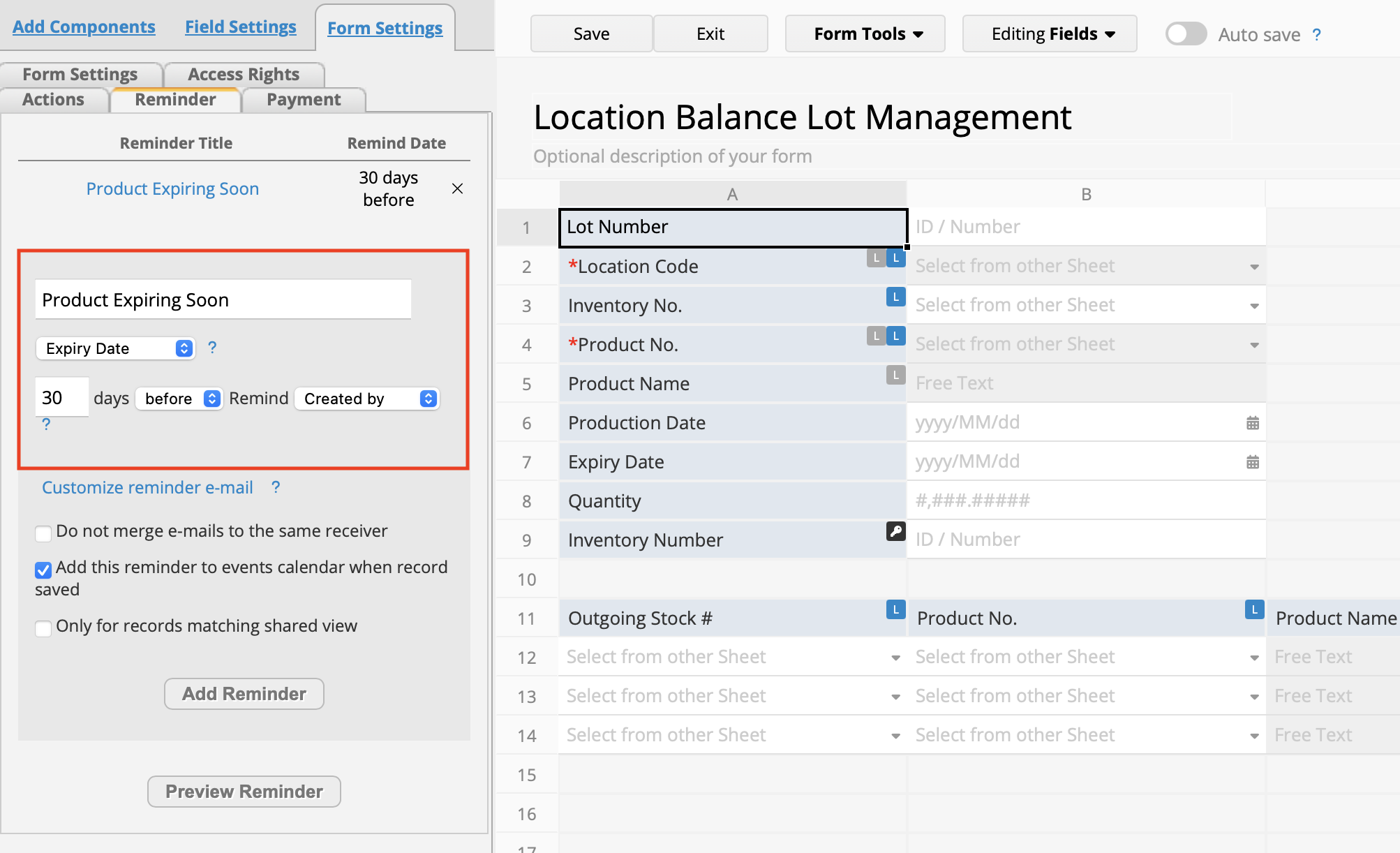
To take it one step further, you can also use Ragic's built-in reminders feature to notify users when products are approaching their expiry date.
 Thank you for your valuable feedback!
