 Learning center
Learning center
Learning center
If you are stuck in any of these dilemmas, you should think about introducing a digitized system to help coordinate the event and organize registration information! How will Ragic’s "Event Coordination" template boost your efficiency?
(1) A single platform to coordinate everything: agenda, venue, equipment, budget, registration, and income, all in one place!
(2) A built-in event registration form that will be directly stored as a database entry once the registrant fills it out.
(3) Works for all types of events: seminars, product launches, camps, workouts, you name it!
If you don’t have a Ragic account, click here to sign up and install the "Event Coordination" template. This entire process is free, and we will not charge you without your consent.
If you are already a Ragic user, you can find the "Event Coordination" template under the "Marketing" category in Install Templates and click "Install" to download it.
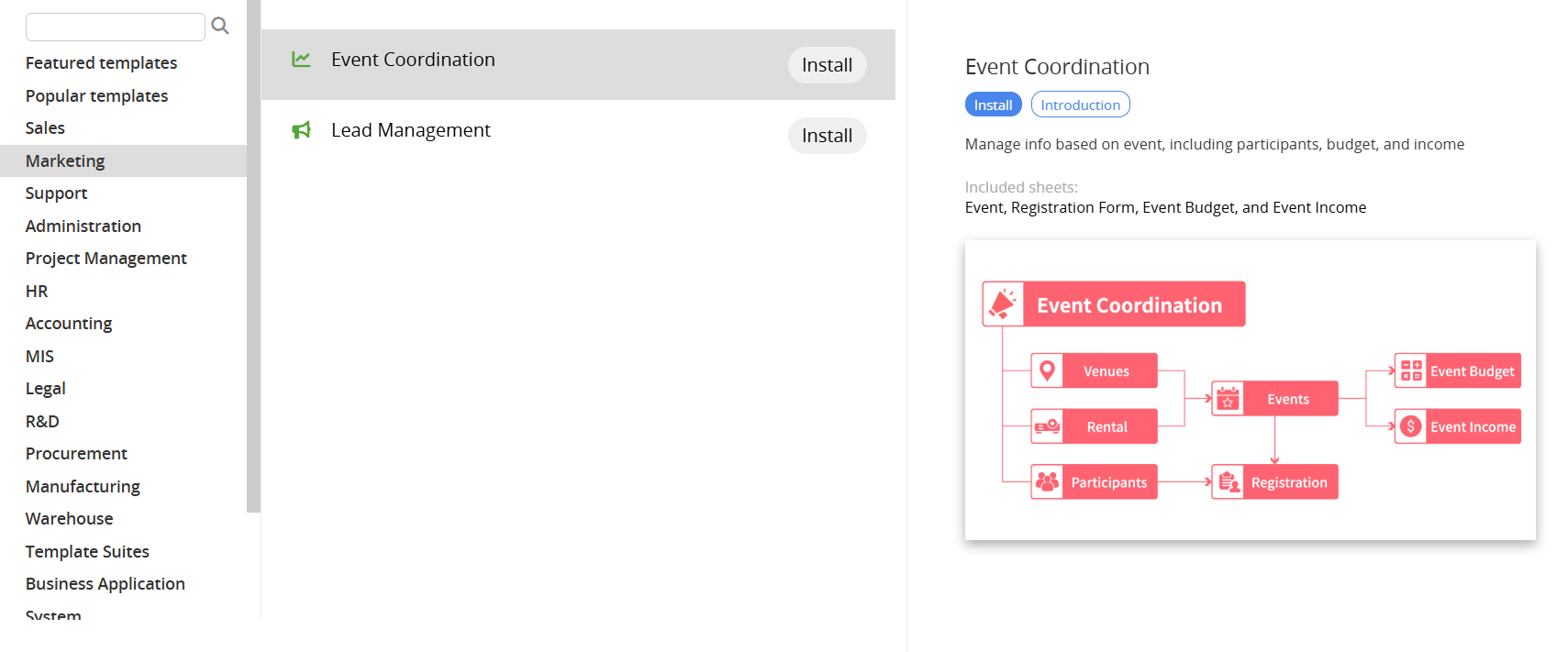
This post will explain the structure of Ragic’s "Event Coordination" template and how to use it.
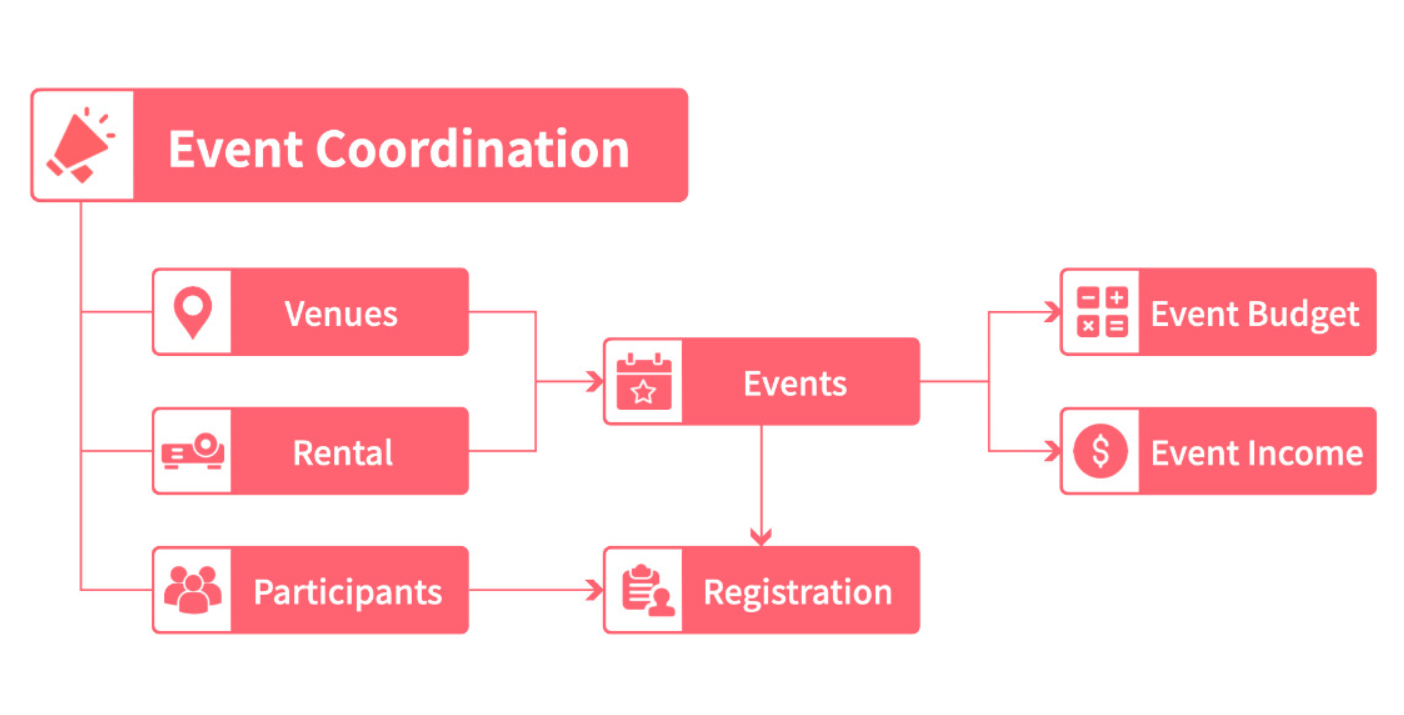
The "Event Coordination" template has 7 sheets that can help you organize all the event planning details: Event, Venues, Event Budget, Equipment Rental Information, Registration Form, Registrant Information, and Event Income.
Please refer to the flowchart below for the corresponding data input workflow.
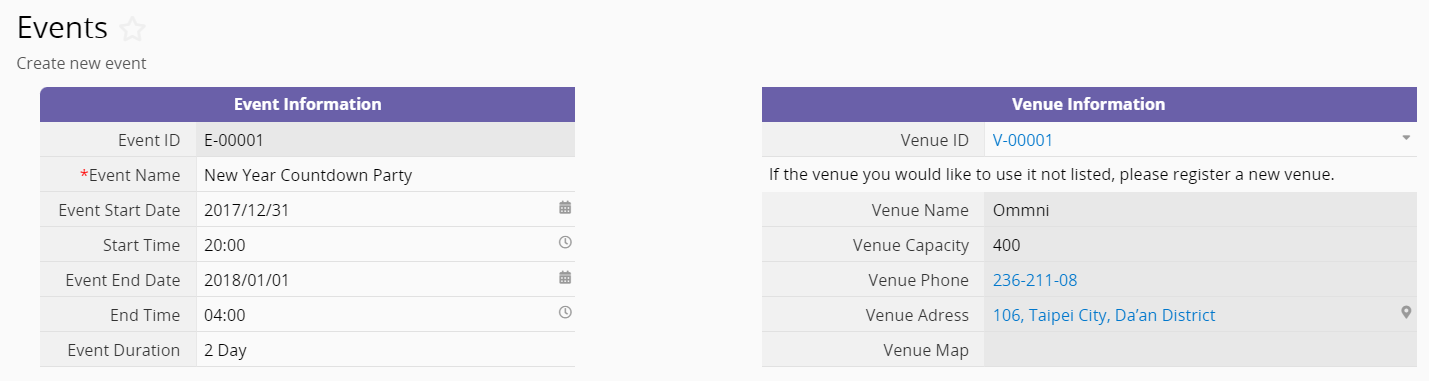
For any event you are organizing, the section on the left is for recording event information, such as the event name and date. On the right is "Venue Information", which you can populate by selecting from the "Venues" sheet. If none from your existing list is suitable, you can also add a new venue.
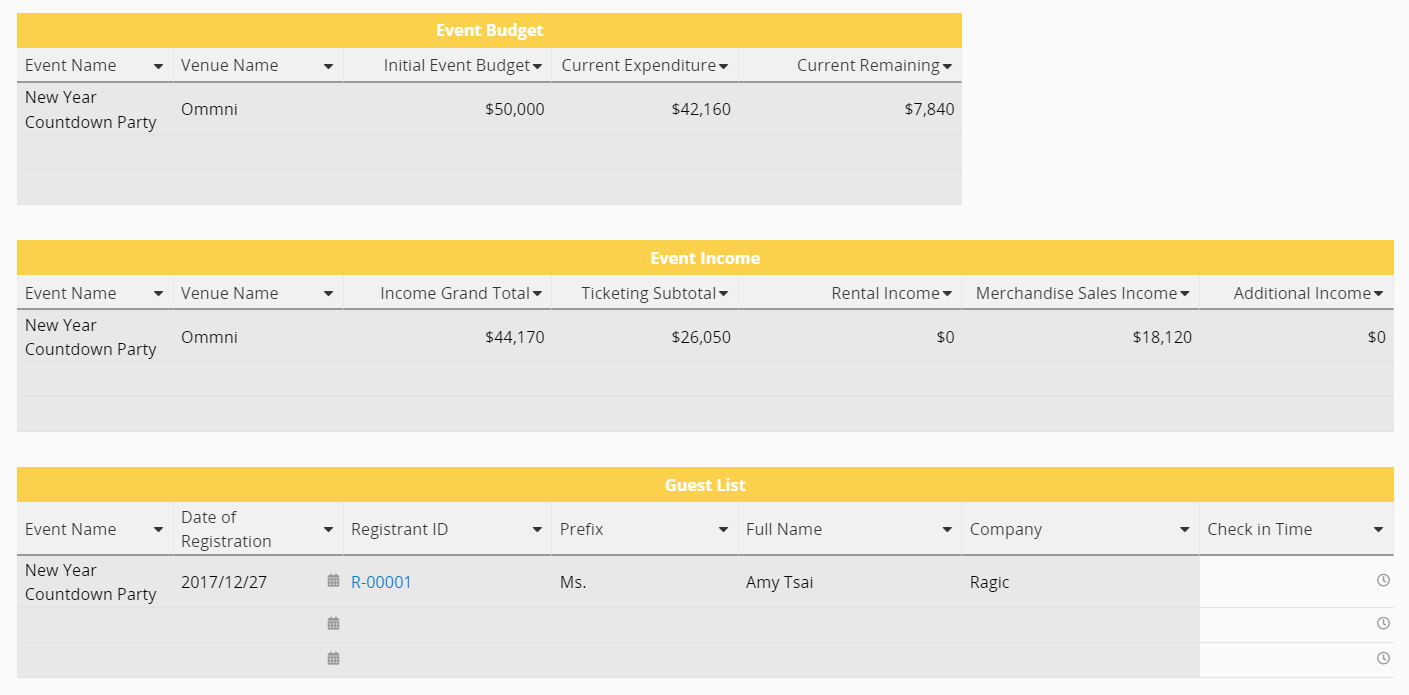
Below are three Reference Subtables which display the Event Budget, Event Income, and Guest List related to this event, respectively. Add any entries to the Event Budget, Event Income, and Registrant Information, and the data entries related to this event will be added to these subtables automatically. This way, you can stay on top of all event information easily from one place!
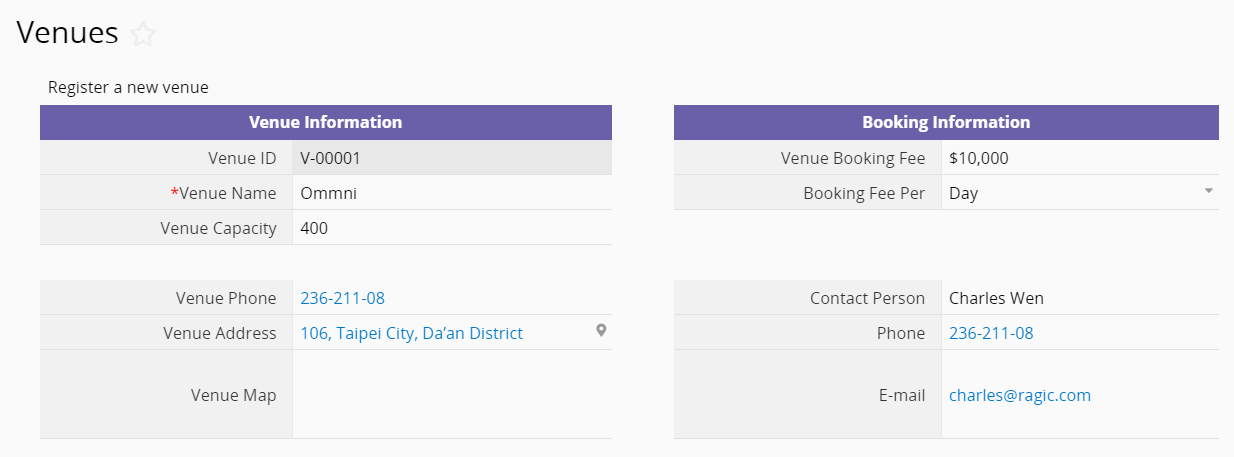
This sheet is used to store all information related to the venue, including capacity, phone number, address, surrounding map, and fees. The entries created in this sheet will become selectable from the drop-down list in the "Events" sheet.
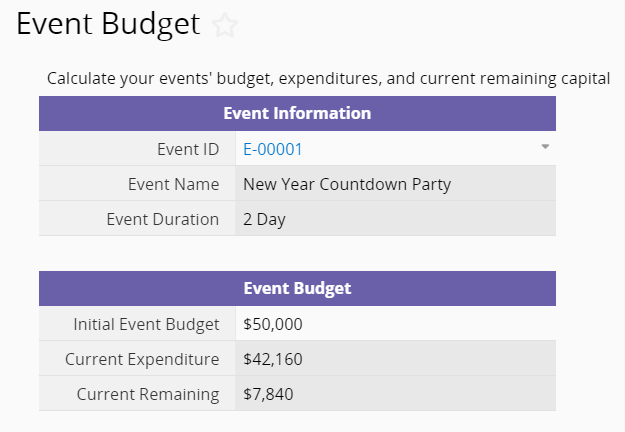
To set the budget and record expenses, you must first select the linked "Event ID" to allow the budget to be associated with the event. The "Current Expenditure" and "Current Remaining" fields are each set up with a formula, respectively. The "Current Expenditure" field automatically calculates the sum of venue fees, equipment rental, and other costs, while the Current Remaining field subtracts the expenditure from the budget to calculate the remaining budget.
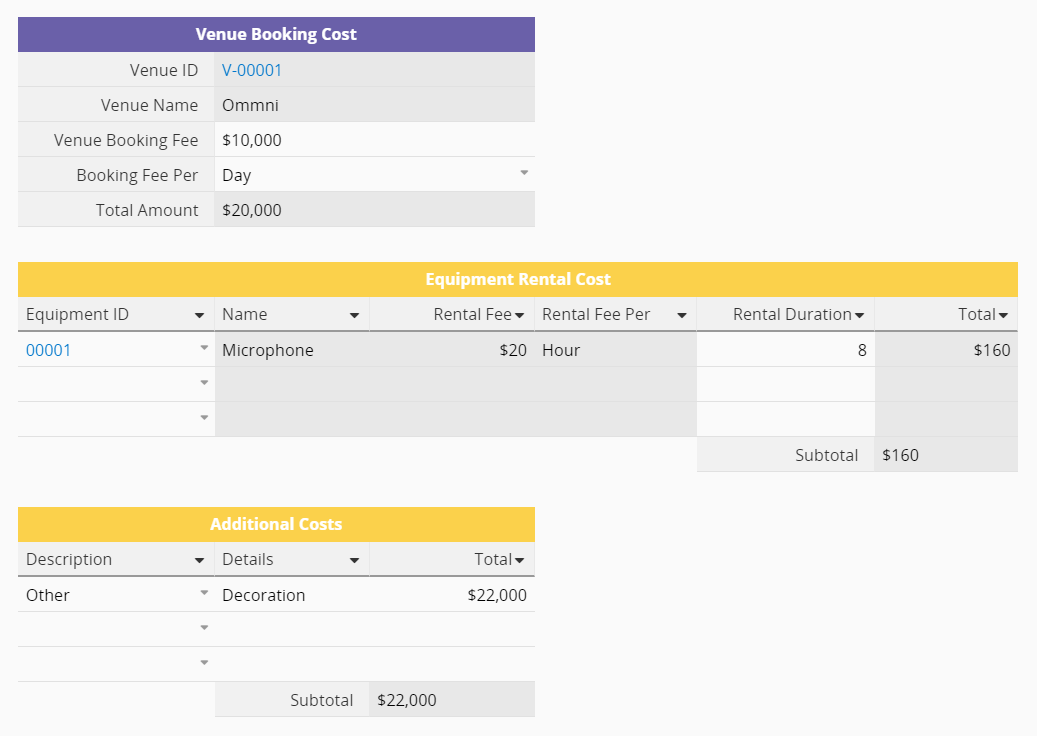
The three sections below are used for different types of costs. The "Venue Booking Cost" section will be automatically populated according to the "Event ID". The "Equipment Rental Costs" Subtable is set up with Link and Load to automatically populate the costs by selecting the "Equipment ID" from the "Equipment Rental Information" sheet, and can calculate the total cost once the rental duration is typed in. The "Additional Costs" Subtable is entered manually, where items in the "Description" field can be added if required.
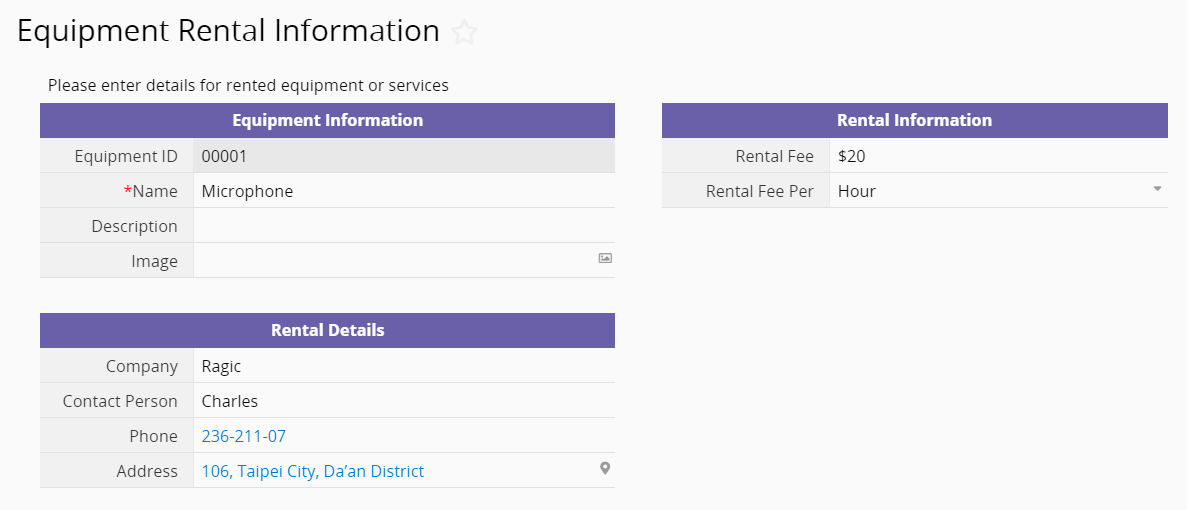
This sheet is used to record information related to rental equipment, with fields such as the equipment name, rental fee, and contact information. It even allows you to upload pictures of the equipment!
An event registration process is as follows:
To add new data directly to this sheet, click on the "Event ID" to look for the event for which you want to register.
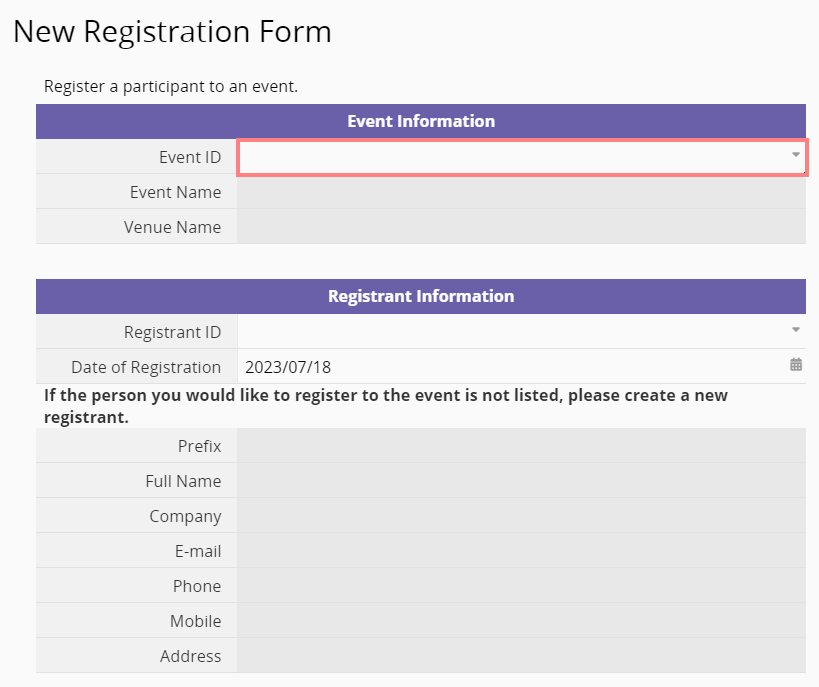
Select the event from the drop-down list. All events listed here are loaded from the "Events" sheet.

Next, click on the "Registrant ID" to fill in the registrant information.
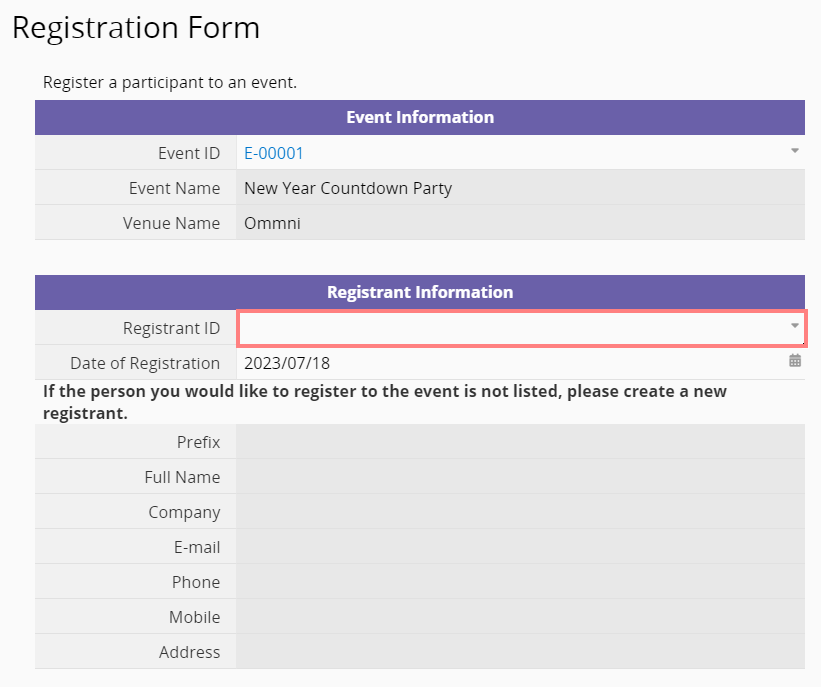
When registering for the first time, click the +New button on the top right to create a new personal profile.

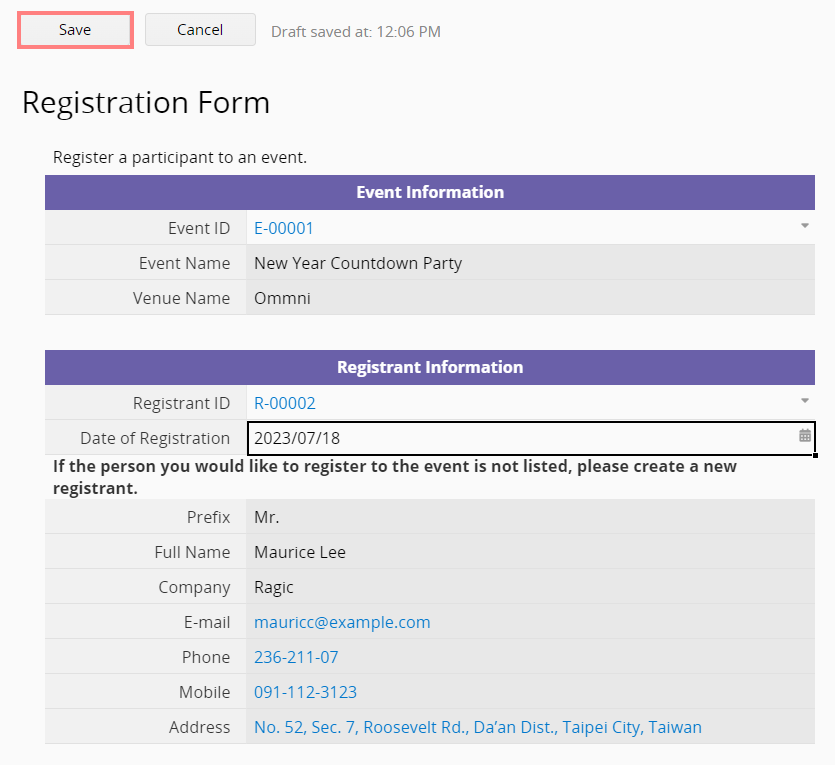
After completion, a new entry is created for the registrant in the "Registrant Information" sheet. The newly added personal information will be automatically added to the "Registration Form".
The "Date of Registration" field is set up with a Default Value, so it automatically fills in the date of data creation. Once all the information has been verified, click Save to complete registration!
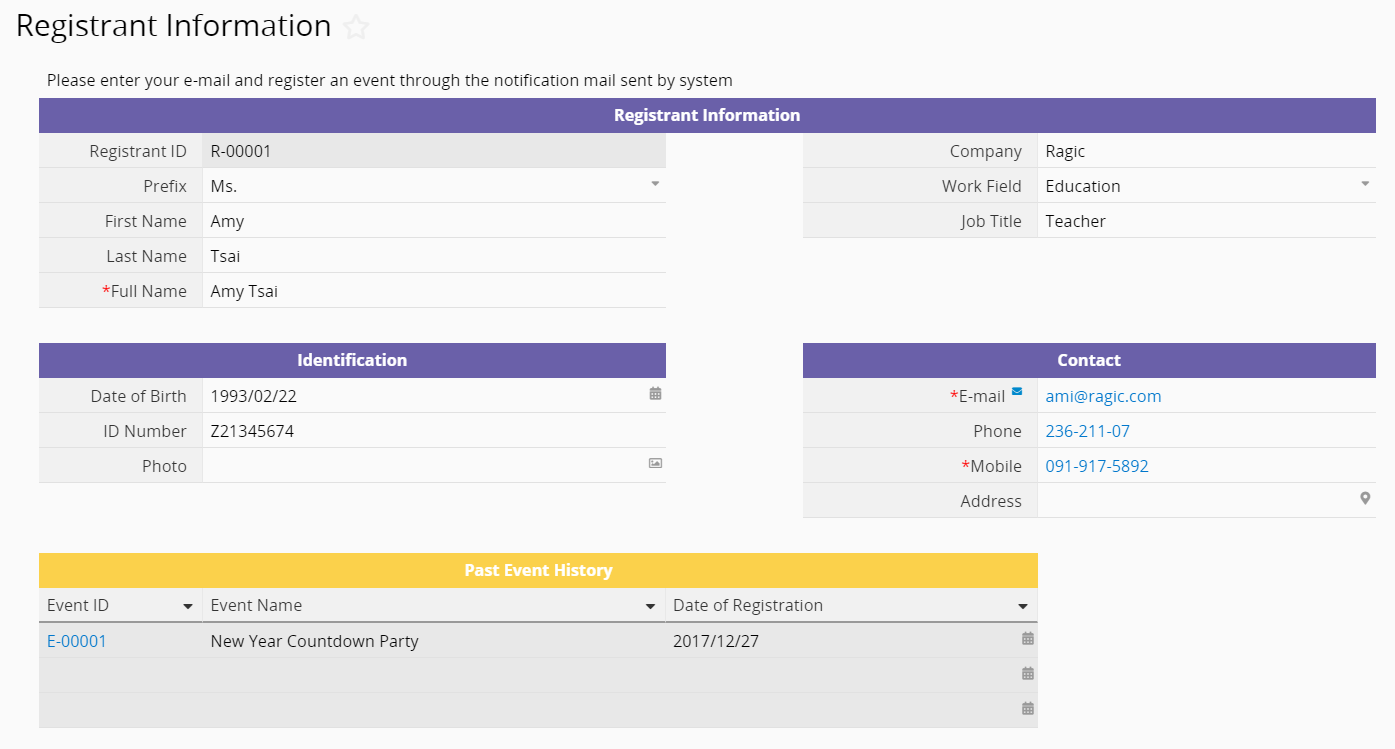
This sheet collects data from everyone who has ever registered for any event. When you select a "Registrant ID" in the "Registration Form", it comes directly from the entries on the "Registrant Information" sheet. The "Email" field on this sheet is set up with Guest User Email Validation, so when the sheet is saved, Ragic will automatically send an Email to this address with a verification link to ensure that the guest user is the owner of this email address. Once the user clicks on the link, they'll be directed back to this entry for further action, such as editing.
A Reference Subtable below shows each of the past events that the person has registered for.
To record the event income, you also have to first select the correct "Event ID" so data will go to the Reference Subtable for the "Events". The field is set up with a formula that automatically sums up various income types to calculate the total for the event.
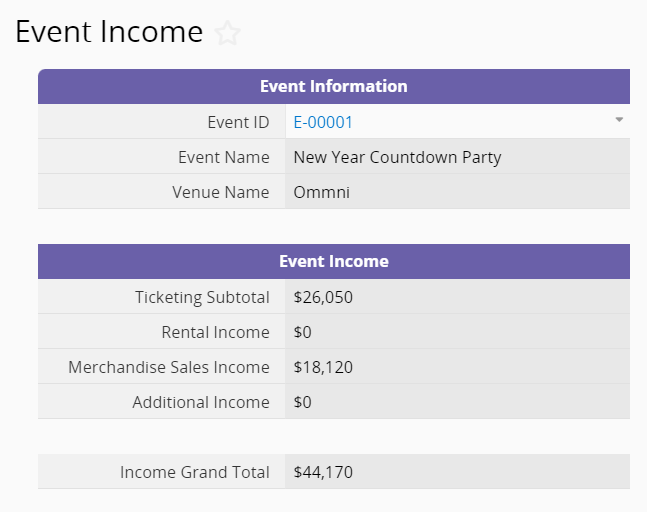
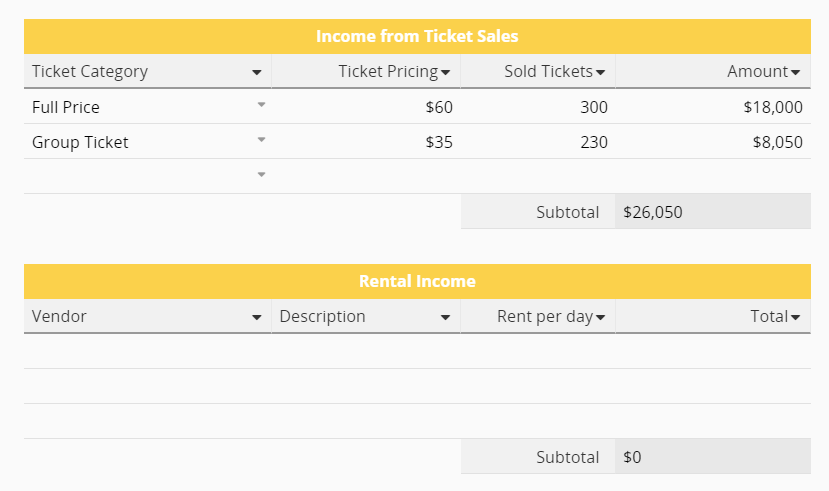
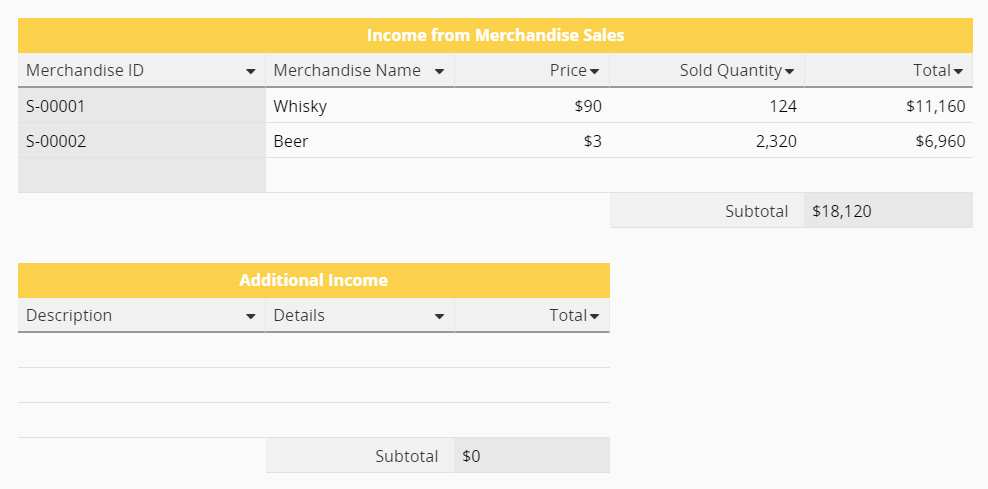
You can manually input data for each of the four types, which will be summed in the event income overview at the top as well as in the "Event Income" Reference Subtable in the "Events" sheet.
After going through this much text describing how to use the template, what if you realize that your event organization workflow differs from that of Ragic's "Event Coordination" template? Not a problem! All Ragic templates allow customization. You can take this template and modify it into a new sheet that completely suits your needs, saving you a significant amount of time and effort versus designing from scratch. Click here to see the design manual.
 Thank you for your valuable feedback!
